
 Live
LiveCourier Service Management System Software with Mobile Apps
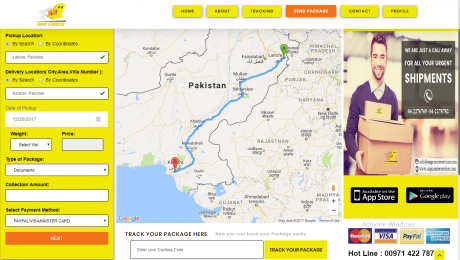
Overview of Courier Management System Software With Mobile Apps
Courier service management system is the software which assists you in managing the courier services digitally. Our courier service management system software and mobile applications include all the functionalities and modules which are helpful for customers and service managers too. As you already know with the passage of time everything is converting into digital so in this modern age with physical business you’ve to create an online presence which will help you to work more in less time.
Our courier management system is actually a software, web application with mobile applications so that customer can order you quickly within seconds. The best thing you’ll find after using our courier service management system is that it will increase your work speed.
Let’s get to point for which we’re here. I.T Vision company is here to provide you the best multi functional courier service management system software and mobile applications. It has great mega modules and sub modules which are enough to handle your courier service.
Features of Courier Management System Application
Here are some modules of courier management system software and mobile applications:
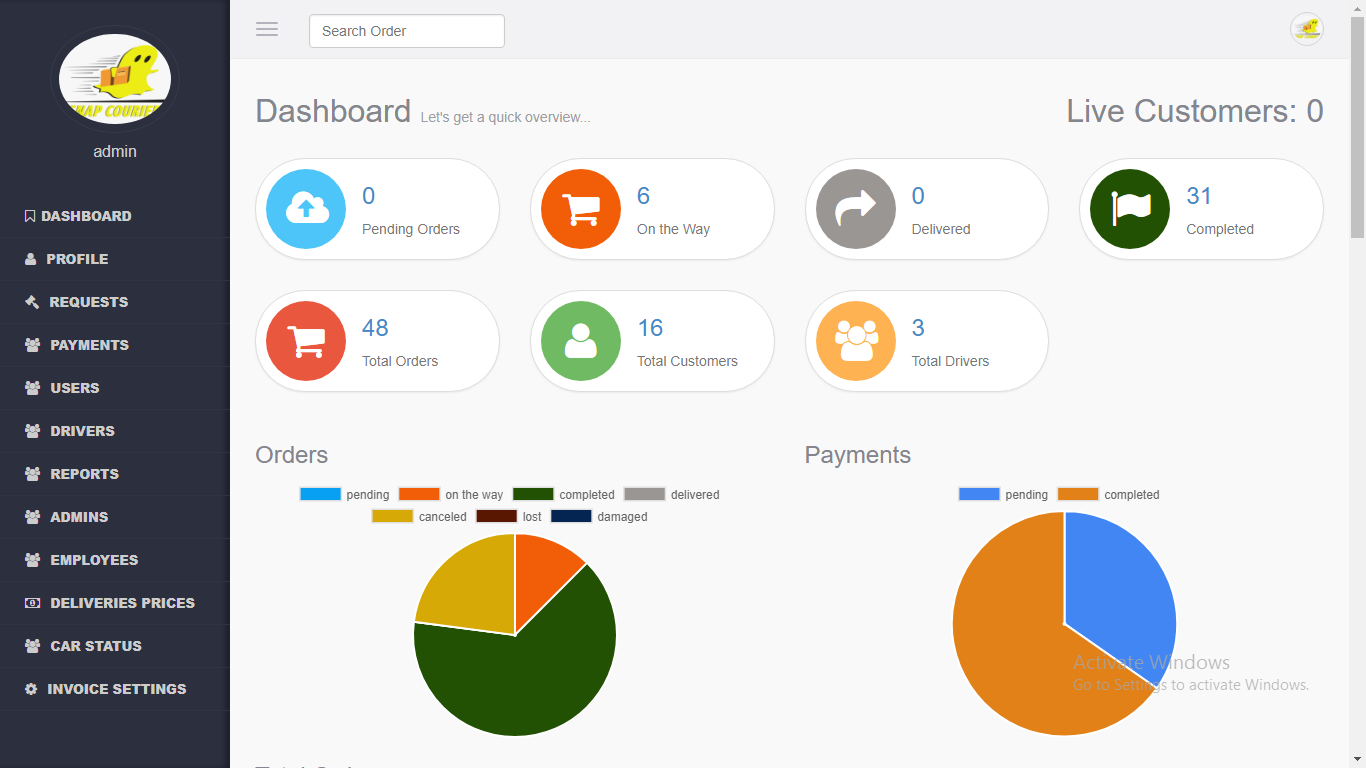
- Administration Panel: The panel of the administration where the admin deals with all the features of the courier management system software including profile, requests, payments, users, drivers, reports, admins, employees, deliveries prices and car status.
- Profile: This is the dashboard of your profile where you can edit your password, username, email address, phone no, staff ID, car no plate and your profile picture.
- Requests: Here you’ll find the orders, cancelled, lost, damaged and completed orders. In short you can say that all the information of the orders is stored in this with their contact information.
- Payments: The payment module deals with the payments action. You can send anyone payment from here and you can also see the paid payments from here with their complete information.
- Users: All the users with their business type, email address, physical address are stored here with registered date.
- Drivers: Through driver module you can add drivers and you can also deals with the list of existing drivers of you courier management system.
- Reports: The reports section deals with all the reports including order reports, payments to customers, delivery reports and driver reports.
- Admins: You can also add unlimited admins from here it means you can assign your role to others from here.
- Employees: Here you can find all the employees of your courier management system with their contact information.
- Delivery Prices: The delivery prices are actually depend on the region so here you can add, edit or remove multiple prices with specific cities.
- Car Status: In car status module you can see or add the status of car on which the product will be transported from one place to another. Even their expenses, accidents, police reports, location, date and time and much more.
- Invoice Settings: Invoice panel only deals with invoice but you can also add weekly offers with advertising banner from here.
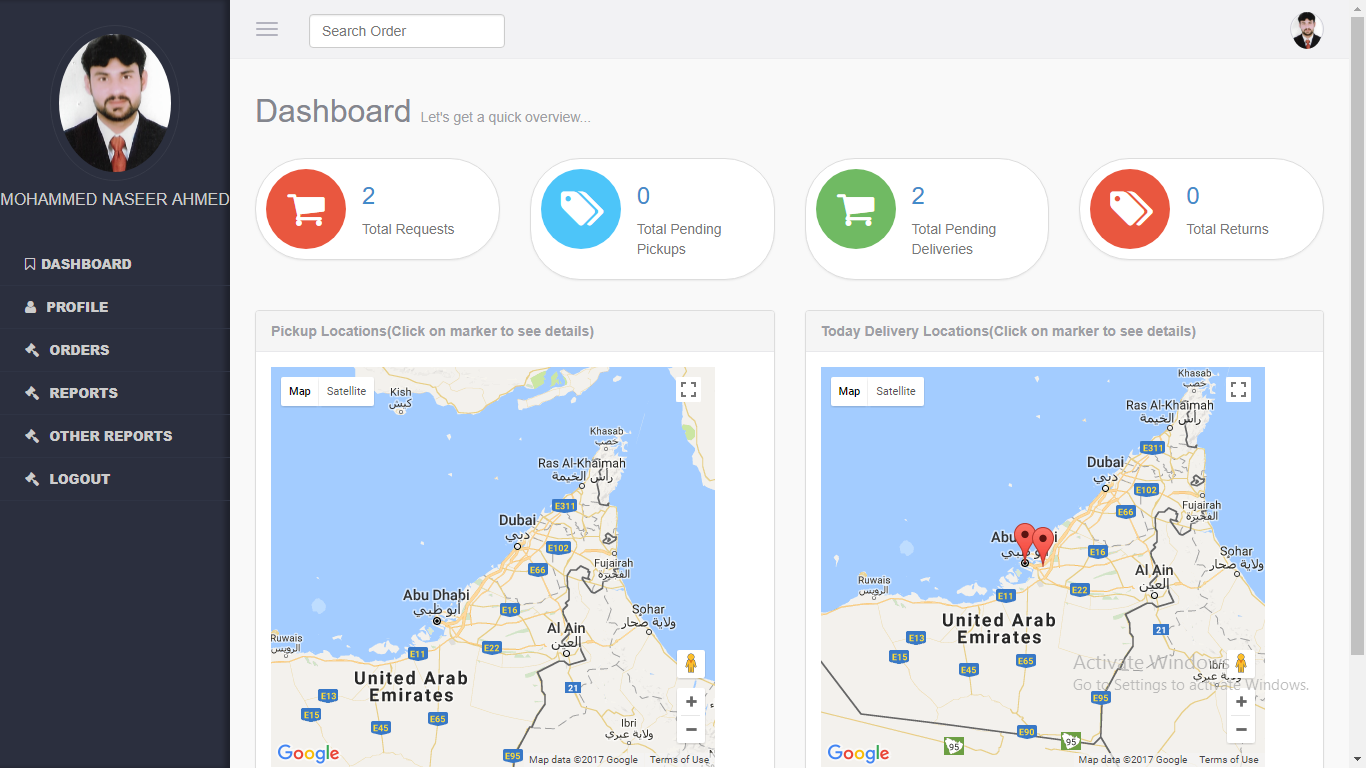
- Driver Panel: The panel of driver where all the functionalities and modules are present which are directly or indirectly can only created for drivers. He/She can open and use that driver panel.
- Profile: In profile section driver can edit his login details and he can also see his existing performance report of the orders he cleared. The performance report includes all the data or information about the delivering with location.
- Orders: In orders section he can see the pending pickups and pending deliveries which are in queue. This is one of the best module and it assists driver to memorise the orders which are pending.
- Reports: In reports section you will find the reports of the deliveries and pickups deliveries even the details of the logs of your panel.
- Other Reports: Other reports are optional reports which includes the accident and other expensis reports which are oftenly faced by drivers.

- User or Customer Panel: The customer or user panel who are using this courier service. This is the interface of the dashboard through which user or customer will setup an order.
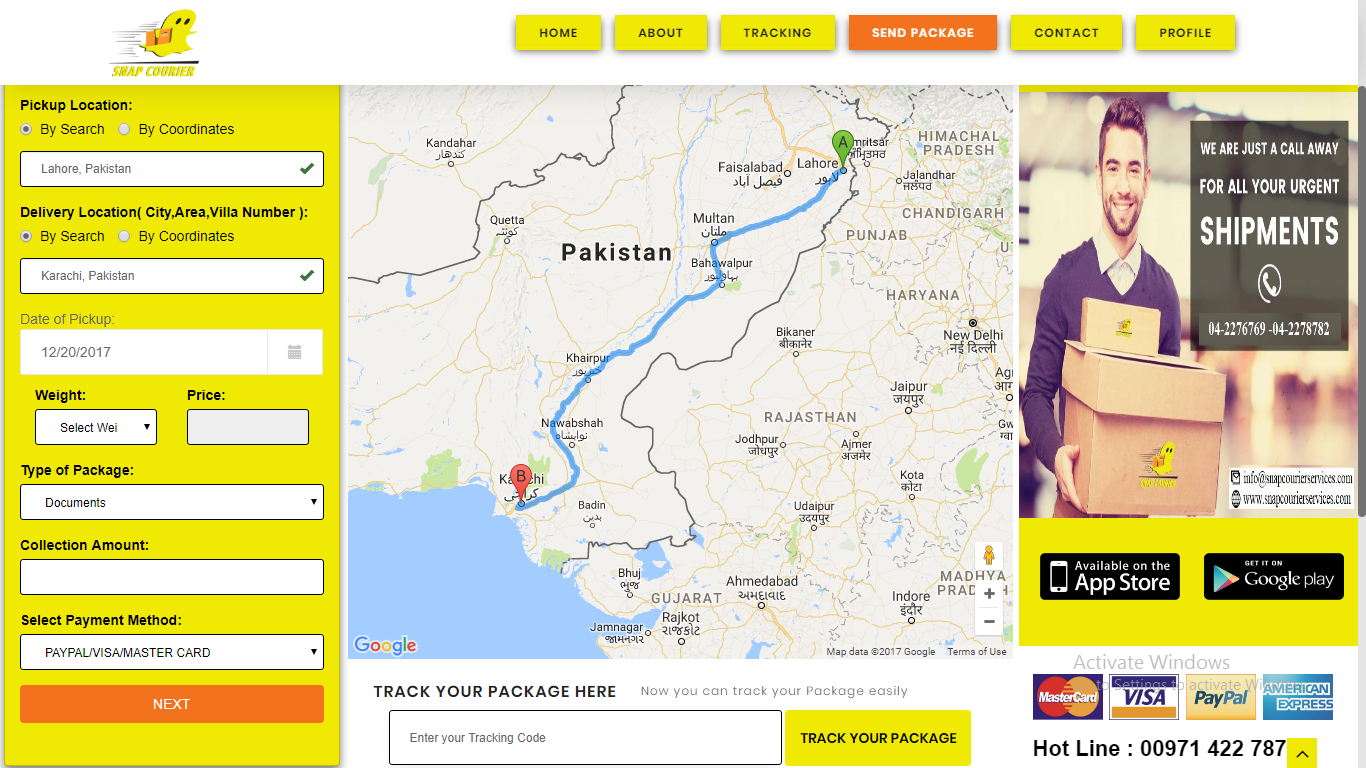
- Send a Package: You can send a package or your item from here by placing their location and you can also see the accurate location from pickup to delivery in the map at the middle of the Web APP. The tracking line will be shown after placing a quick order.
- Requests: In requests section you will find the request or the detail of orders you’ve placed. Requests are actually the tracking orders with their status.
- Invoices: The invoices is the section where you can find or view the invoices with their collected amount and delivery status.
- Payments: In payments you can only deal with the payments which are for specific customers with their existing history.
- Track Delivery: You can also track your delivery through delivery code and you can know about the product status through it.
- Suggestions/Complaints: It’s a fact customer satisfactions and suggestions are required in every service and field. So you can also place a suggestion and complaint from here.
- Published in Uncategorized
Pharmacy Management System Software
Description of Pharmacy Management System Software
Pharmacy management system is the complete software used to manage all the features and functionalities of a pharmacy management system. Our pharmacy management system software contains all the modules which are mostly expected and available in foreign pharmacy company.
If you’re wandering here and there to get a complete pharmacy management system software then you’re on right place because only I.T Vision is the software and web solution.
Confused? Don’t worry we’re here to provide you all the features which would be beneficial for your pharmacy company.
Features of Pharmacy Management Application
Here are some features of Our Pharmacy Management System;
- Dashboard
- Dashboard Analytics
- User Profile
- Company Information i.e. hospital information
- Prefix/Postfix Settings : Indexing, Creation, Updating
- Manage Users
- All Users
- Create New User
- Items
- Generic Name
- Shelve Location
- Pack Type
- Dosages
- Category
- Brand Name
- Setups
- Customers
- Suppliers
- Manufacturer
- Products
- Products Listing
- Product Creation
- Purchases
- Purchase Quotation
- Purchase Order
- Purchase Invoice
- Purchase Return
- Sales
- Sale Quotation
- Sale Order
- Sale Invoice
- Sale Return
- Reports
- Generic Report
- Product Report
- Filters : Show All Products
- Filters: Show Product By Brand Name
- Batch Report
- Filters : Show All Batches
- Filters: Show Batch By Product Name
- Product Price Report
- Expired Product Report
- Near To Expiry Report
- Total Stock Report
- Stock Shortage Report
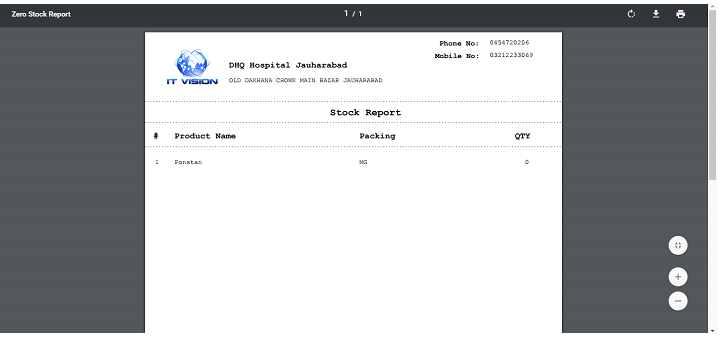
- Zero Stock Report
Dashboard:
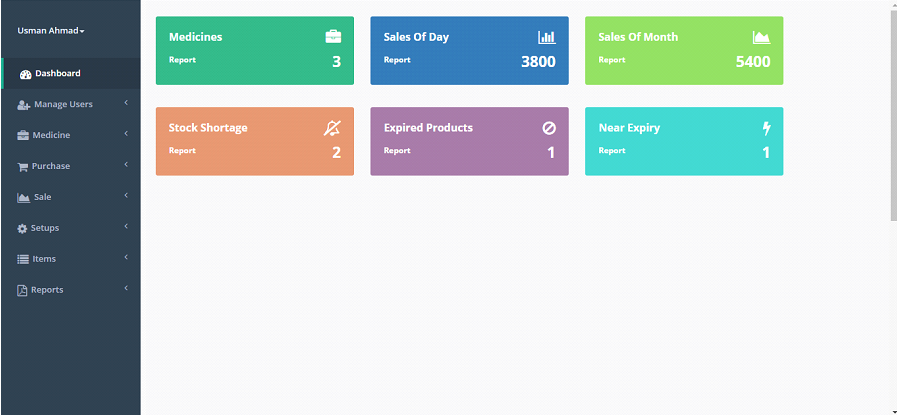
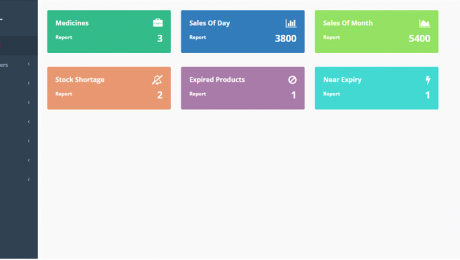
User will be able to see dynamic dashboard and Menu bar upon signing in in the System. Essentials Summary of record shown here in dashboard of pharmacy management system application to get overview of whole process. Report against each data is also available in report section as well as clicking this report link. If there will be no data to show pharmacy management application will redirect to current dashboard page
- Dashboard Analytics
- Medicine:
- Number Medicine
- Sales
- Sales Of Day:
- Sales of Current Date
- Sales of Month: Sales of Current Month
- Stock Shortage: Stock Shortage w.r.t to product Re-Order Level
- Expired Products: Number Of Expired Products
- Near Expiry: Products Going to Expired Soon w.r.t to No Of Days
Note: Reports of all the dashboard data will be shown in reports section
User Profile:
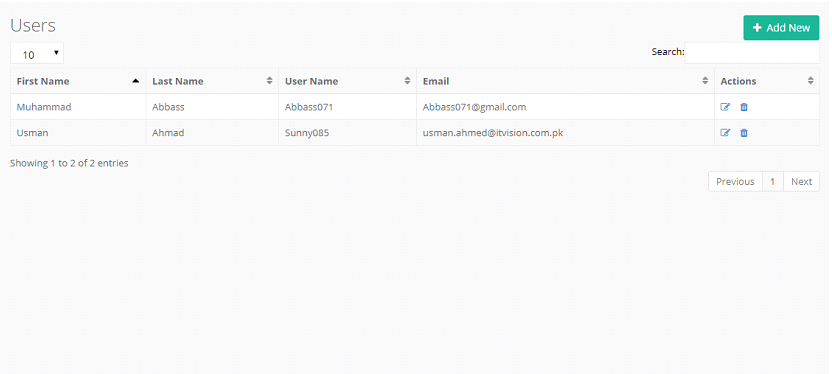
This is the list of the users which can use pharmacy management application.
Create New User
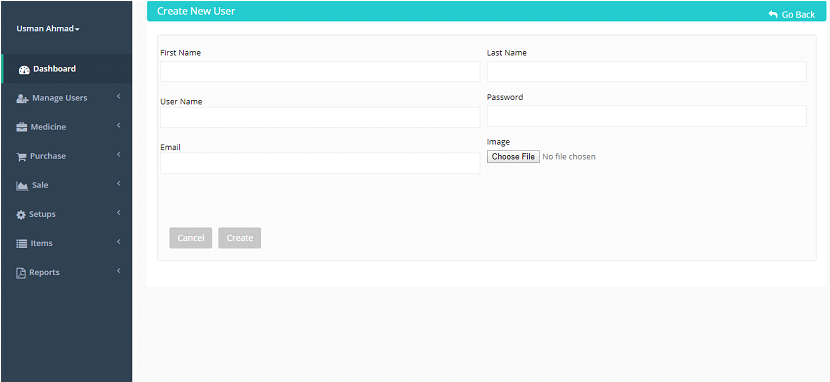
You can create a new user from here. Creating new user and assigning a new role action can only be done from here.
Company Profile:
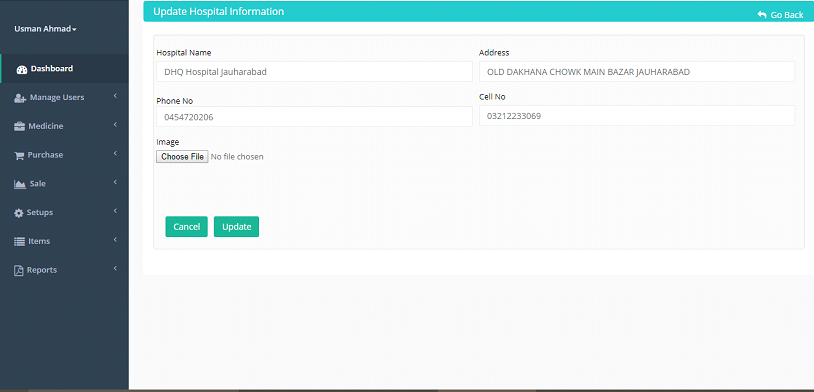
You can create hospital information or pharmacy company profile from here –As you can see in above preview
Prefix/Postfix Settings:
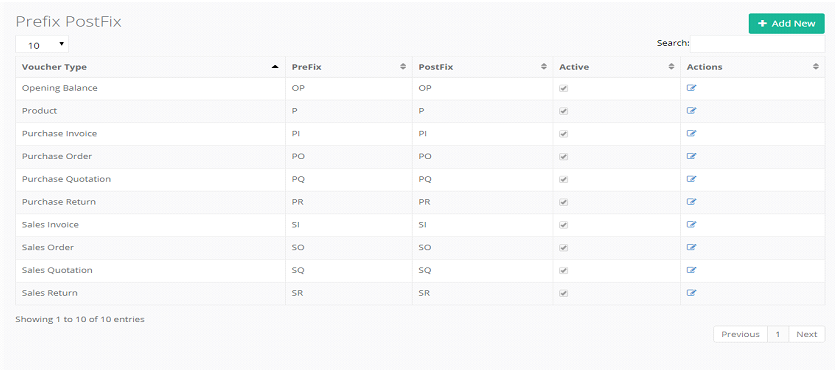
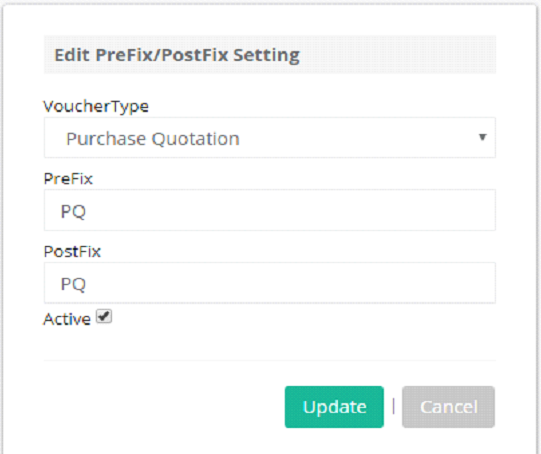
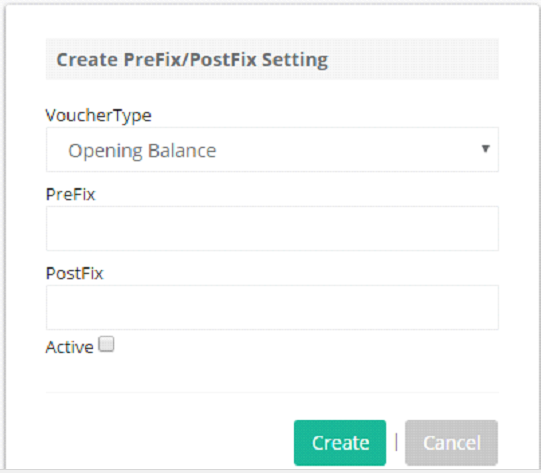
This Setting will be appear against respective setups in purchase Code Section Along with Maximum ID of That Setup. You can change current settings and create new against many voucher type.
Items:
Items in pharmacy management system software are basically the products and you can only see the items after adding your desired products.
Dosage

Dosage is the frequency or size of the medicine. You can multiple dosage from here because every medicine or pill has it’s own dosage.
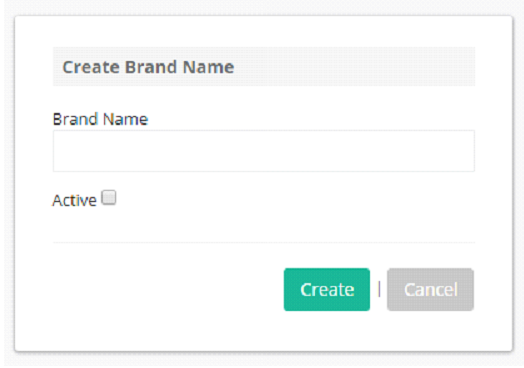
Brand Name
Generic Name
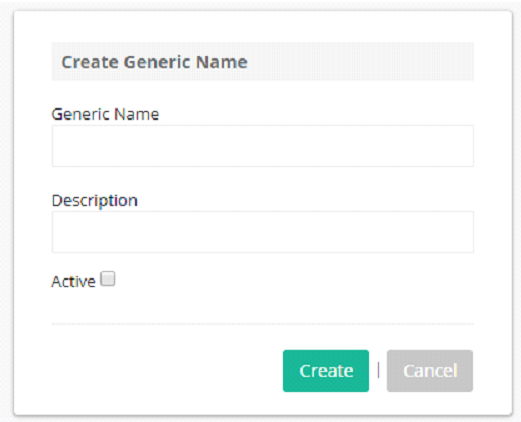
Generic name is the name which has different terminology but specially it is used for name of chemical drug.
Pack Type
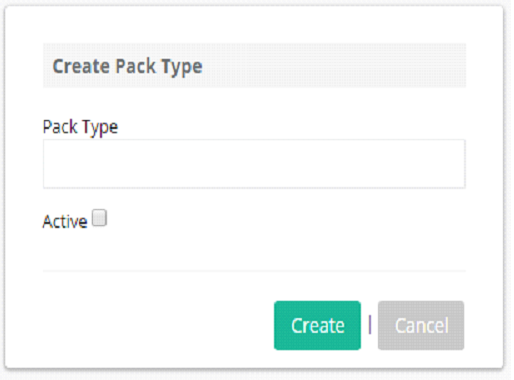
Pack type is the wrapping type. The types of medicine packets can be added from here because different medicines have their own packet types.
Rack Locations
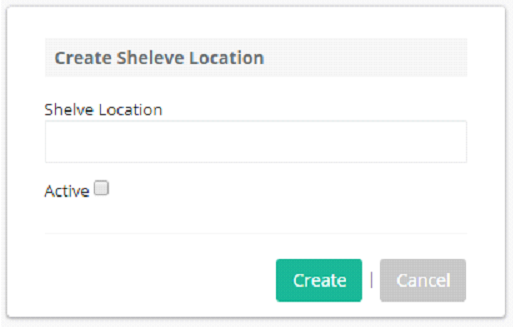
Rack location is the location of shelve where the medicine is located. If you’ve seen there are multiple shelves in the hospital pharmacy department and each medicine is located according to their type, medicine categories or sorted by name.
Medicine Categories
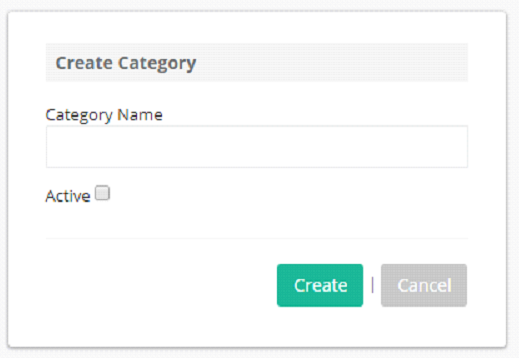
Each medicine has it’s own category so medicine categories can be added from here.
Setups:
All the setups can be created from here, You can setup all the customers, suppliers and manufacturers from here with their detailed profile.
Customer
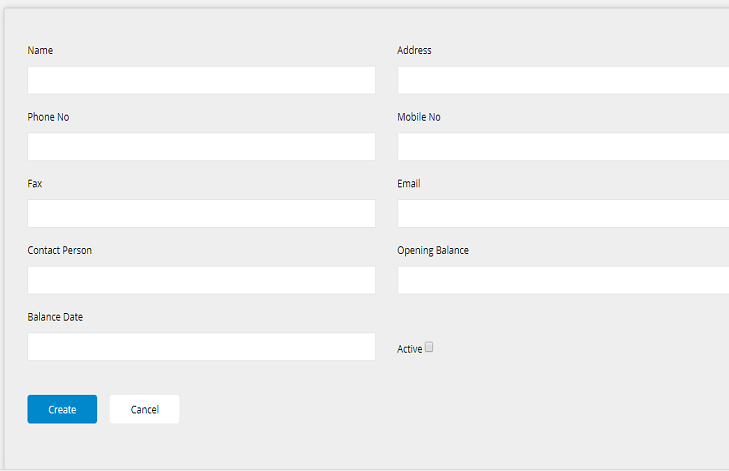
Customer created in this setup will be shown in all sales setups e.g sale quotation, order, invoice, return.
Supplier
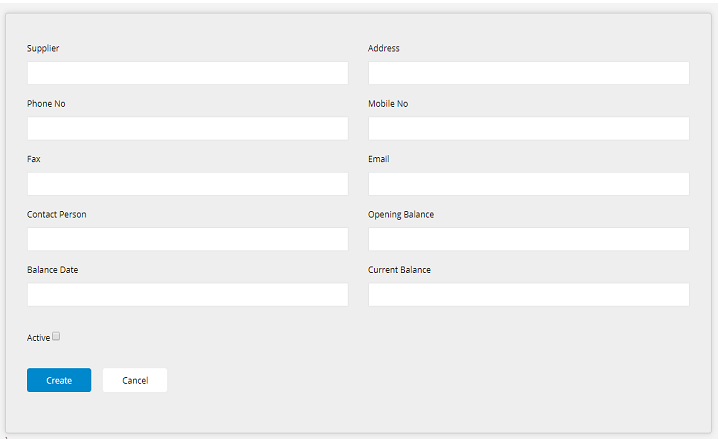
Supplier created in this setup will be shown in all Purchase setups e.g purchase quotation, order, invoice, return.
Manufacturer
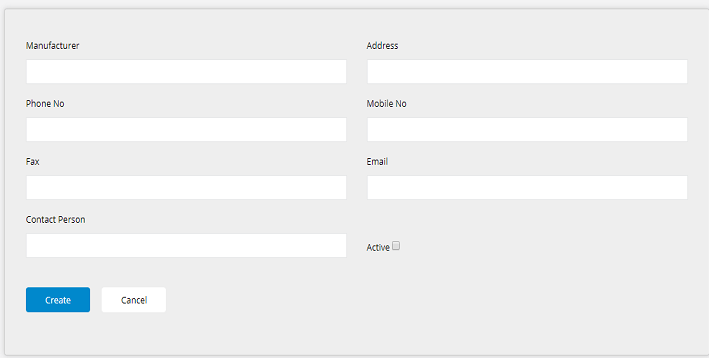
Manufacturer created in this setup will be shown in all detail table rows w.r.t to selection in medicine creation .
Products:
All the products of your pharmacy will be shown here in the application.
All Product 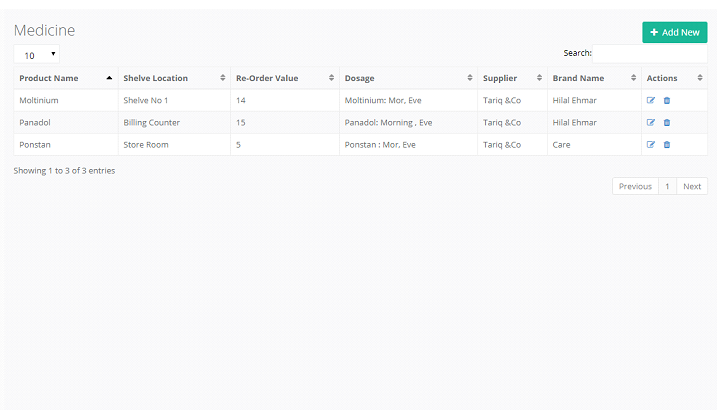
Product Creation

All the products can be created from here. You can add multiple products from here with their detail.
Purchase:
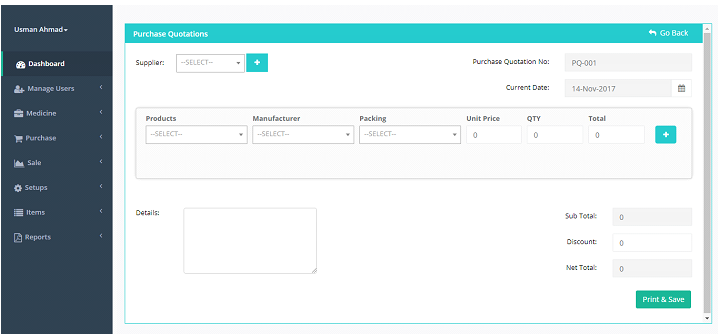
You’ll find all the modules related purchase here, All the purchases will be shown here in this feature.
Purchase Quotation
Purchase Order
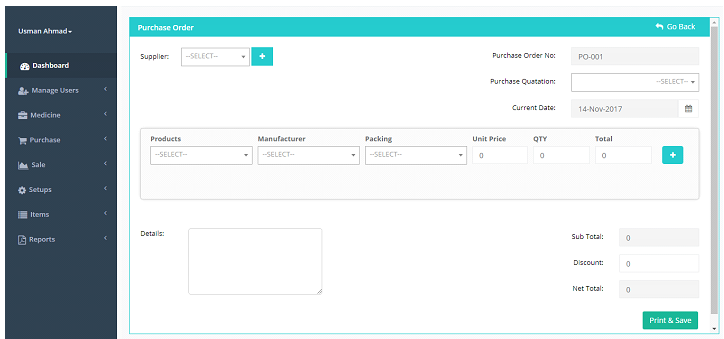
You can create purchase order from purchase quotation also. List of all the purchase quotation will be shown here in dropdown
Here if you select PQ-001 Respective data from Purchase quotation will be loaded in respective fields;
Purchase Invoice
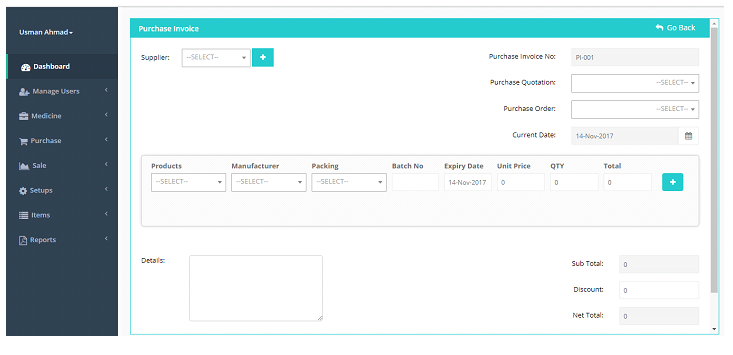
You can create purchase invoice from either purchase quotation or purchase order also.
List of all the purchase quotation and purchase order will be shown here in separate dropdown:
Note: After creation of Purchase Invoice following things will either be created of effected
- Stock Will be added w.r.t Product Name, Pack Type and Batch
- Batch Report will be added also w.r.t to above mentioned filters
- Expired and Near Expired products will be created w.r.t to expiry report against each row Reports will be shown in Reports Section
Purchase Return
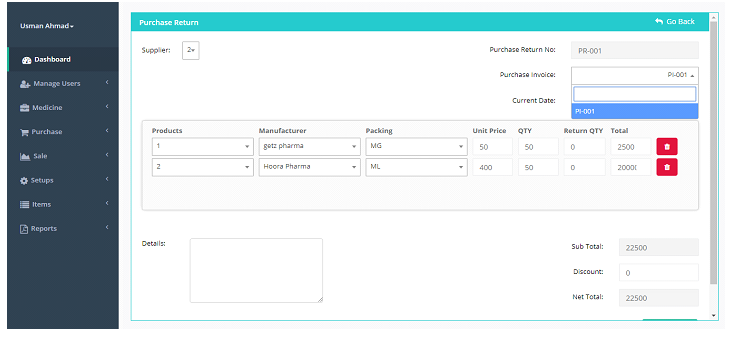
You can create purchase return from purchase invoices.
List of all the purchase invoices shown in dropdown;
Here if you select PI-001 data against purchase invoice will be loaded with respective data. If you want to return 5 and 10 respectively quantity you will enter 5 and 10 in return quantity field
Entering Return Quantity Will Update QTY in same Row. This data will be saved and quantity against this product will be updated in stock table. E.g. QTY 45 and 40 in stock against this Product and packing
Updated Rule: QTY Direct To Stock Table
Sales:
Sales Quotation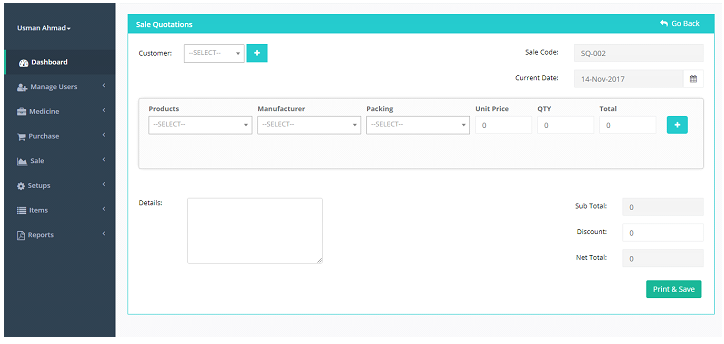
Sales Order
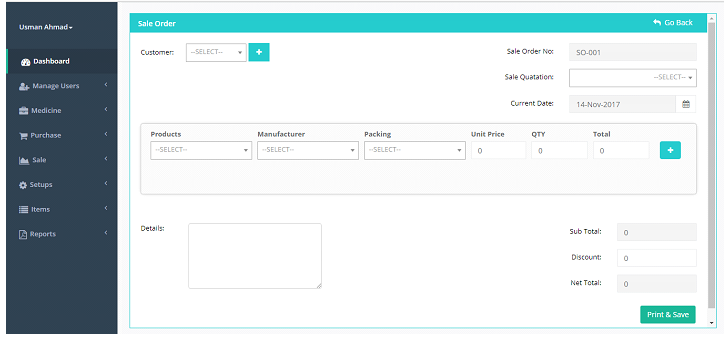
You can create Sale order from purchase quotation also.
List of all the purchase quotation will be shown here in dropdown;
Here if you select SQ-001 Respective data from Purchase quotation will be loaded in respective fields Here if you select SQ-001 Respective data from Purchase quotation will be loaded in respective fields
Sales Invoice
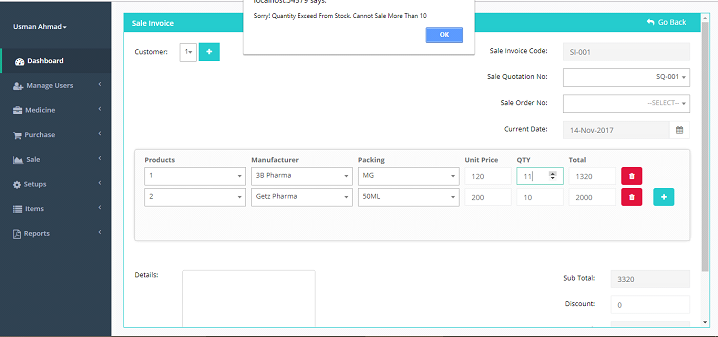
Note: After creation of Sale Invoice following things will be effected
- Stock Will be deducted w.r.t Product Name, Pack Type and Batch
- Batch Report will be updated also w.r.t to above mentioned filters
- Sale of Month or sale of Day either be created or effected
Sale Return

You can create sale return from sale invoices. List of all the sale invoices shown in dropdown
Here if you select SI-001 data against purchase invoice will be loaded with respective data. If you want to return 5 and 10 respectively quantity you will enter 5 and 10 in return quantity field
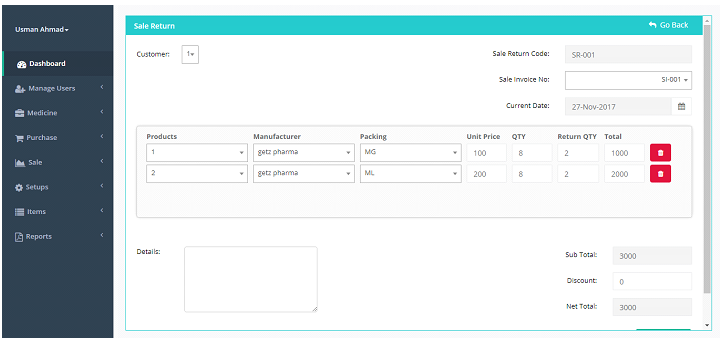
Entering Return Quantity Will Update QTY in same Row. This data will be saved and quantity against this product will be updated in stock table. E.g. QTY 45 and 40 in stock against this Product and packing
Updated Rule: QTY + Return QTY
Report:
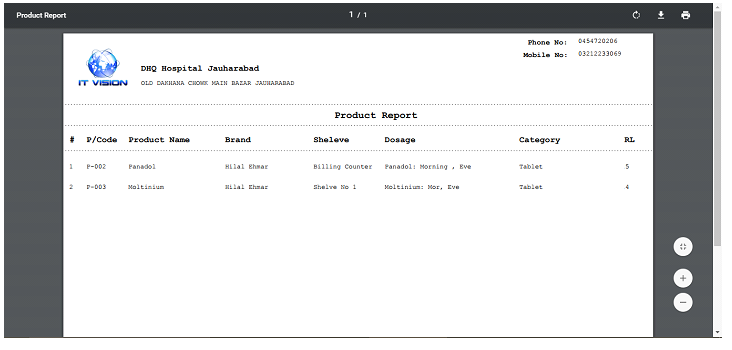
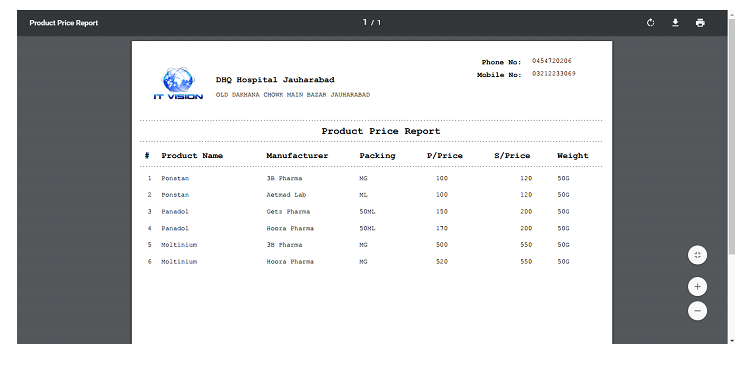
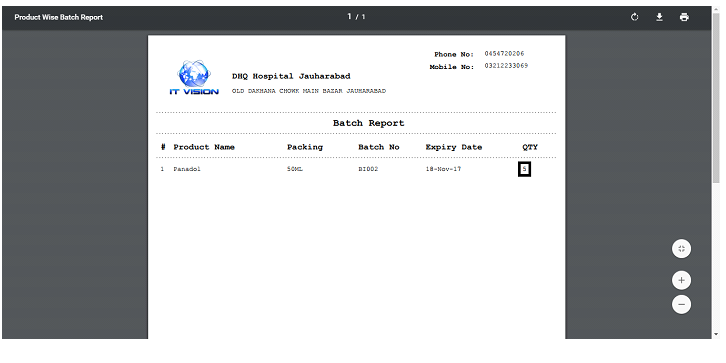
Reports can be shown from here, all the types of reports can be created from here. Here are some examples of reports with their original previews.
Generic Report
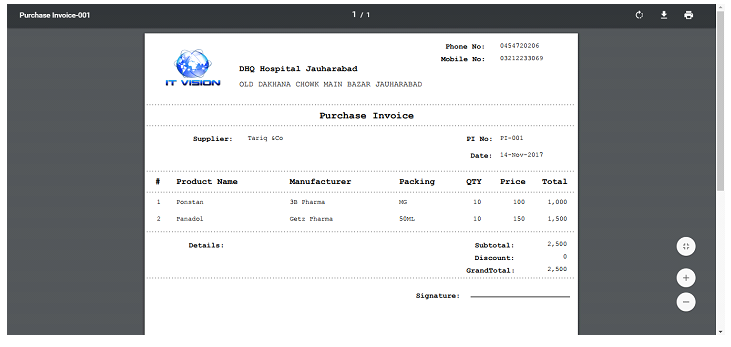
Product Report
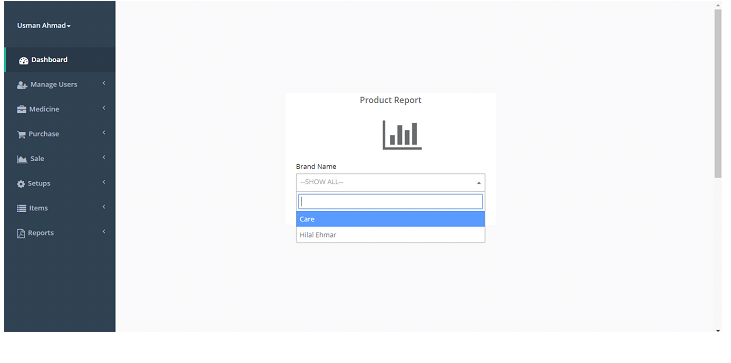
Filters : Show All Products
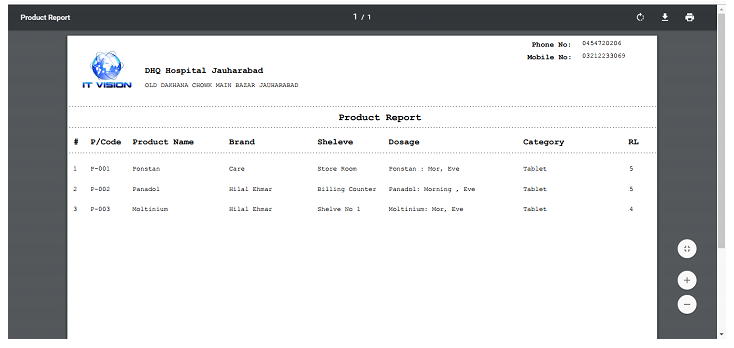
Filters: Show Product By Brand Name
Product Price Report
Batch Report
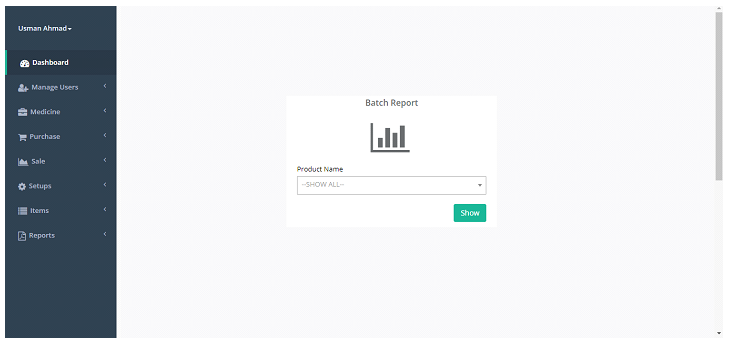
Filters: Show Batch By Product Name
Expired Product Report

Near To Expiry Report
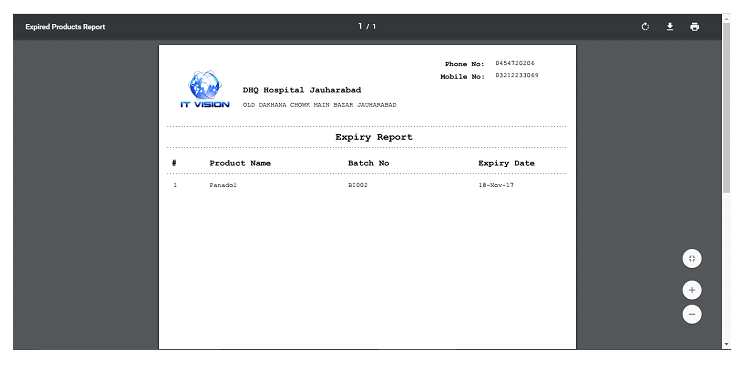
Total Stock Report
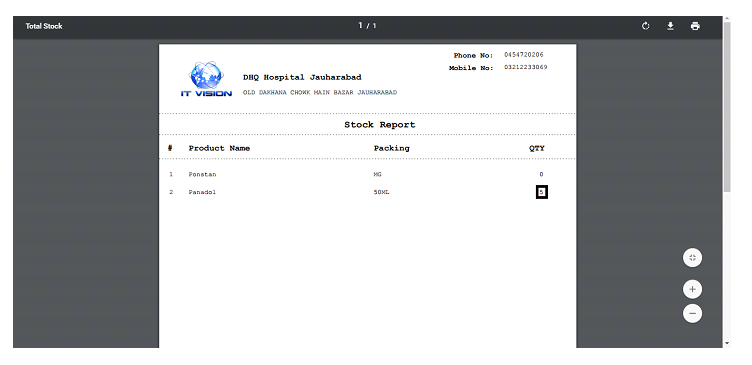
Stock Shortage Report
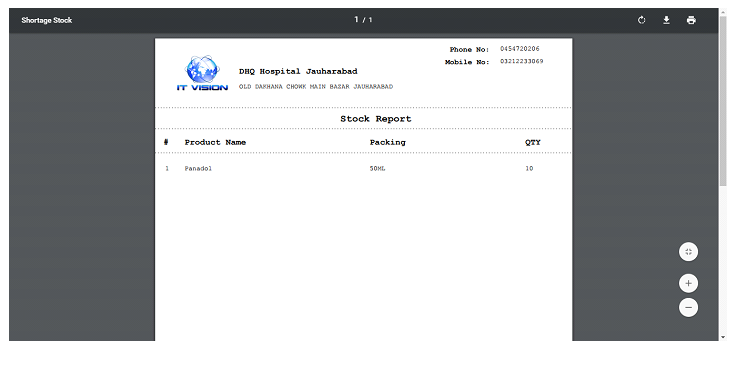
Zero Stock Report
- Published in Uncategorized
Pharmacy Management System – POS and Accounting
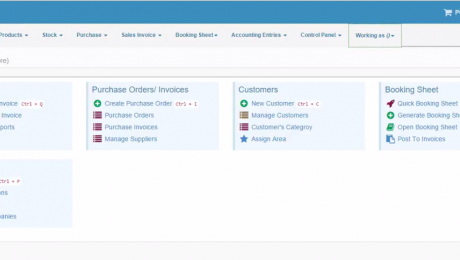
Overview of Pharmacy Management System, Point Of Sale and Accounting System:
Pharmacy management system is the web based system through which you can manage a pharmacy easily anywhere anytime. Pharmacy management system consists all the functionalities of customers, products, stock, purchase, sales invoice, booking sheet, accounting entries and control panel
In this pharmacy management system you can also generate report from our outstanding report generating module. In action you can generate as PDF, send email directly to anyone. You can also print document from here. If you want your report without header you can also generate from actions.
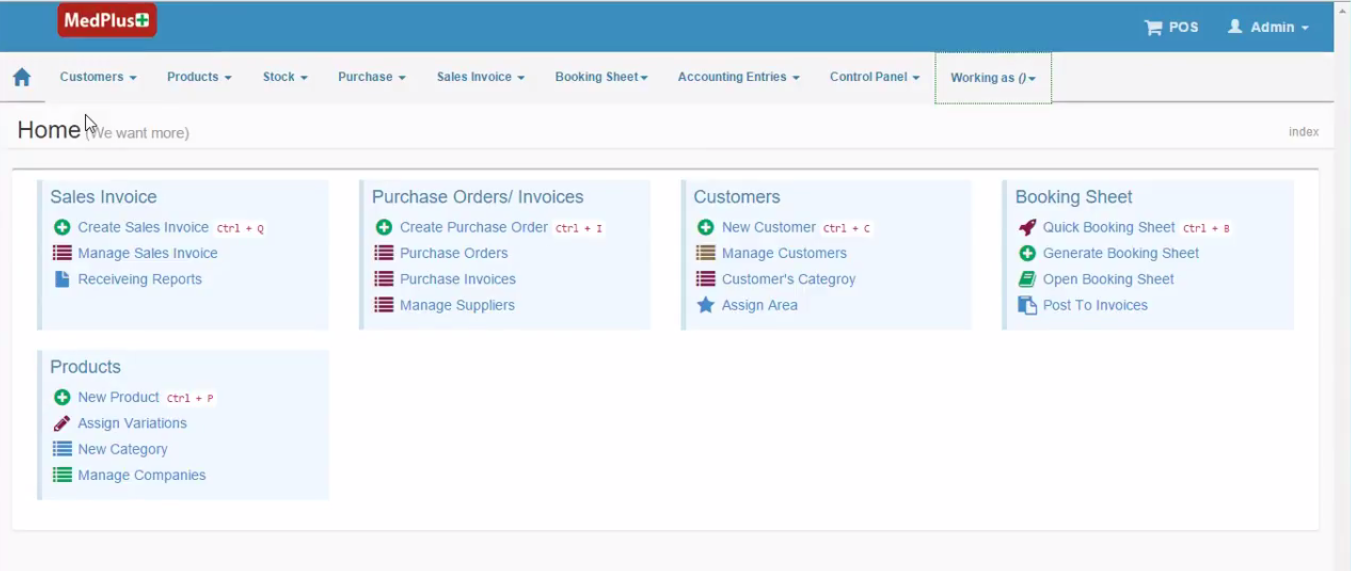
Features of Pharmacy Management System:
Here are some modules or features of our pharmacy management system;
Sales Invoices:
In sale invoices you can find all the sale reports of your products which are sold and added in pharmacy management system. Receiving invoices are also present this module.
Booking Sheets:
Booking sheets are actually the appointment sheets where you can find all the appointments of the patients. In booking sheets you can generate, open or print the sheet easily with a single click.
Accounting Entries:
In accounting entries you can generate, view or print out the receipts with brief details of the customers which are managed in your pharmacy management system. You can also view the cash vouchers of the customers.
In accounting entries of pharmacy management system software you can also check the expenses and cheques details. Accounting entries is one of the best module of pharmacy management system software.
You can also use the sales return and purchase return in accounting entries moreover journal entries.
Control Panel:
In control panel you add sales person or sales men. In control panel you can add medical manager, routes, area, discounts, define charges, cities, remarks, return remarks, users, terms and condition, bank account, work flow and much more.
Control panel is the heart of our pharmacy management system software. Broad and best module of pharmacy management system is control panel which contains all the important features which don’t exist in market if so then are very expensive.
POS:
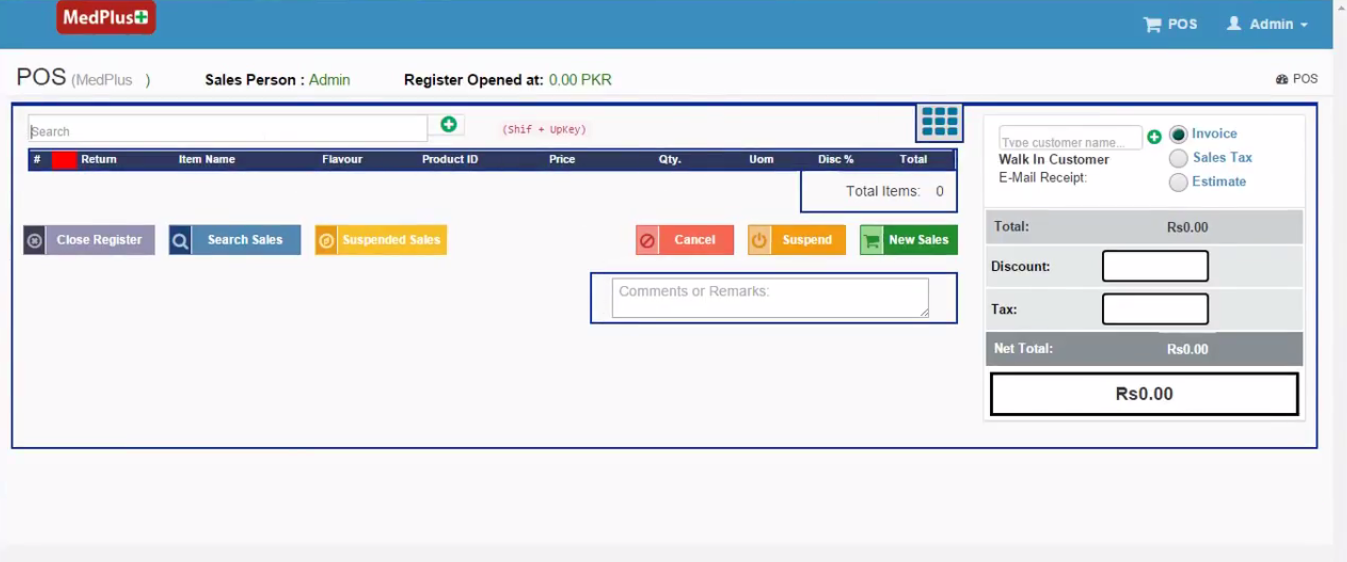
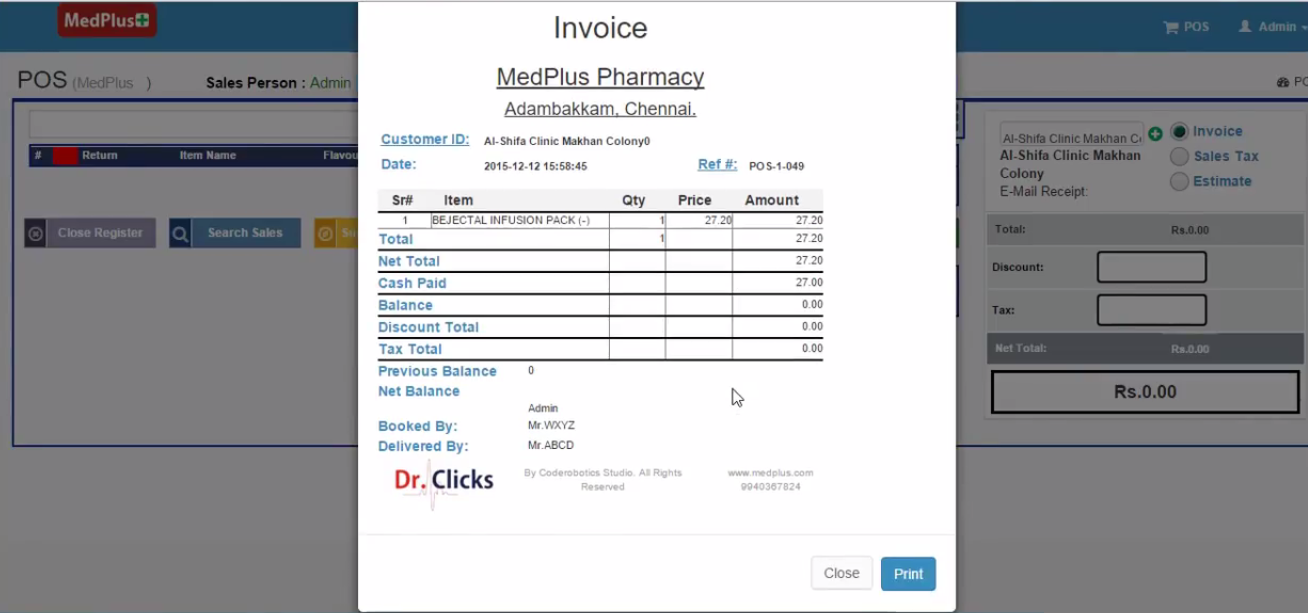
In POS you can directly write name to search the invoice of specific person and you can also add unlimited reports here with the price and discount properly. You can directly print out the report with a perfect manner.
Customers:
Customers module is only developed to manage customers through which you can create customers list, you can easily assign price groups and the best thing in this module that you can assign areas. You can save record of customers with brief detail as long as you want.
Products:
Products is not only a single module for adding products, it has a lot of sub modules with best filter only because of variations in medicines and other products. Sub modules of products are categories, formations, flavours, companies, suppliers, bonuses, opening balance.
In categories you can multiple categories of medicines and products, You can add multiple formation brands because every medicine has it’s own formation brand. Some medicines and products are available in market with different flavours So, in flavours module you can add multiple flavours to specify the medicine or product.
In companies you can add companies, this is most important module because there are many companies available in market so it’s very important to specify the medicine with their company names. Every medicine company has it’s own supplier with cities, You can also add multiple suppliers in this to keep the record with their brief record. Opening balance handles only the balance.
Stock:
In stock you can add or view the stock record like if you’ve medicines available you don’t have to check one by one just search out your product or medicine in stock. There are sub modules in stock are near expiry, exceeded margin, expired and transactions.
In near expiry you’ll find the medicines are near expiry so you can automatically figure out of this problem because in data entry you’ve to add the products with their expiry date and manufacturing date so this module will show near expiry automatically. In exceeded margin you’ll find the medicines which are exceeded or low in stock. In expired you’ll find the medicines which are expired so you can separate them after getting here. In transactions you can find, view or add the transactions of the medicines and products.
Purchase:
Purchase module only manages the purchase actions, purchase order, purchase invoice and pending stock-in are also the sub modules of purchase in which you can view or add the purchase order, purchase invoice and pending stock-in. It’s all about purchase.
Demonstration Videos of Pharmacy POS Software:
Conclusions:
- There many modules which are not discussed here but great in functionality and features because it’s very difficult to brief a software and it’s quality with content.
- Demo or trial version of pharmacy management system is available you can contact and get anytime.
- Control panel has a lot of functionalities and features which are vast and can’t be mentioned here.
- You can manage a pharmacy with this web based pharmacy management system anywhere anytime.
- Buy hosting and domain and you can buy branded or bulk SMS to enhance your company profile.
Buy Pharmacy Management Software
- Published in Uncategorized
Restaurant Point of Sale Software
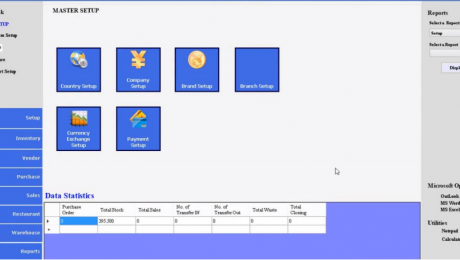
Overview of Restaurant POS/Management System:
Restaurant POS (Point of Sale) software is best management system software through which you can run a restaurant easily. As you already know that to run a restaurant is not an easy thing that’s why Itvision developers
have developed this restaurant POS software in which you will find tons of features and function from which you can easily manage your restaurant at standard level. It is actually restaurant point of sale software from which you can manage multi restaurants easily.
Every point of sale system has it’s own features and modules which vary their value and price so, now i’m going to brief modules and features of our Restaurant point of sale system/Restaurant POS.
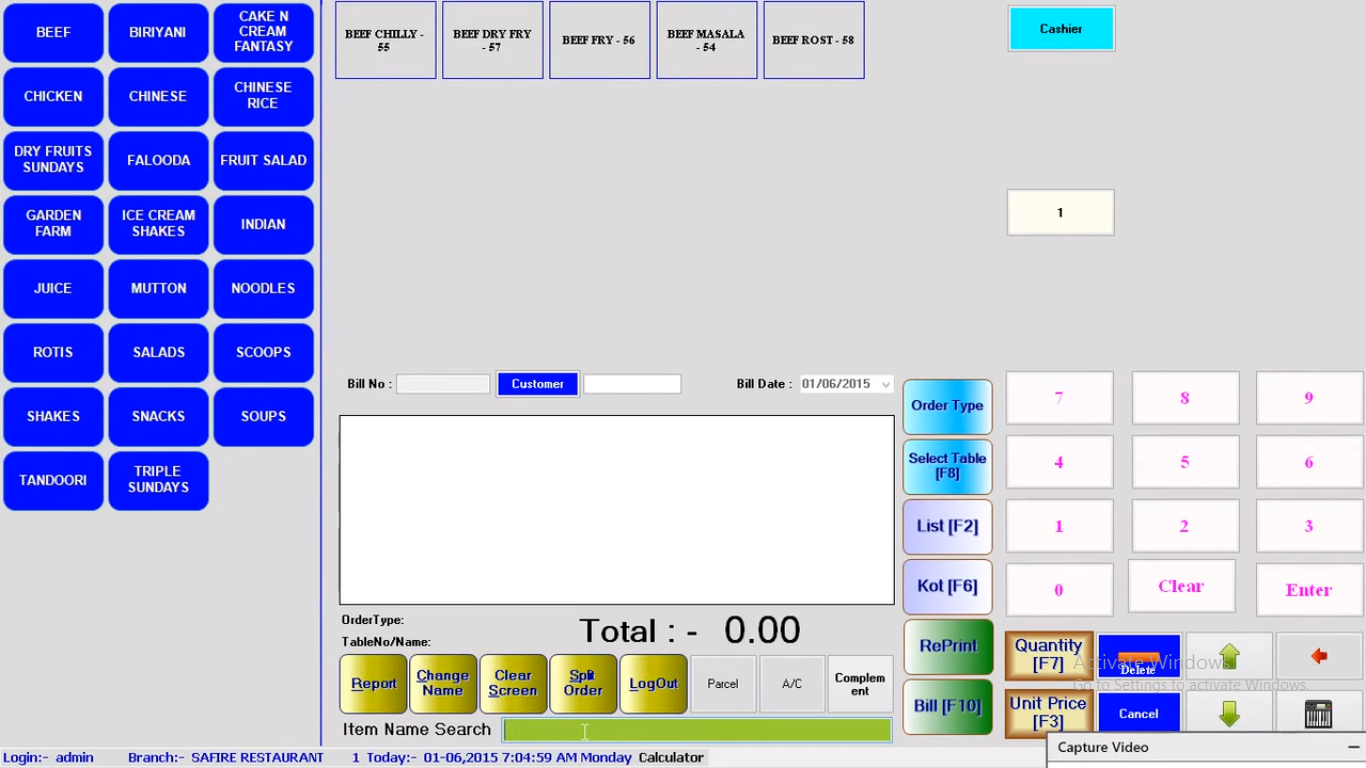
Features of Restaurant Point of Sale:
Restaurant POS have a lot of features and functions you’ve never seen before. In above image you can see recipes grids on extreme right side, you can add many recipes, from here you can select any recipe for customer.
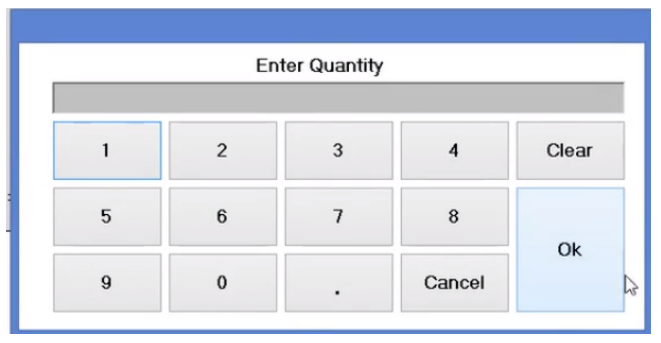
You can select quantity of the order. You can also select the table for your customer, on which ordered recipe will be placed.
There is another option of “Parcel” you can see on the image. You can also select the option of parcel for your customer if your customer wants his order in parcel.
You can increase quantity of order as you can see the numerical buttons on the sidebar.
If your recipe has sub categories then you can also select them, if you select the recipe you’ll also get the sub categories of your recipe. confused? Let me explain.
If your recipe is chicken then your sub categories will be chicken karahi, white chicken etc.
You can split order, reprint bill and the best thing is this restaurant is that you can also create unit price of your recipes so it will automatically create large bill and you have to print only. It will add amount automatically after selecting recipe.
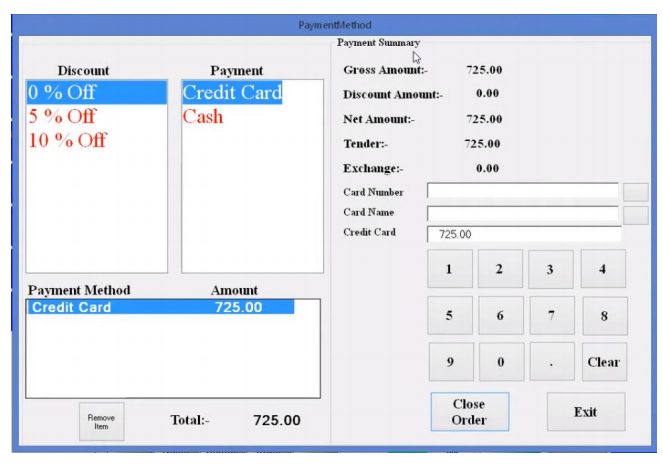
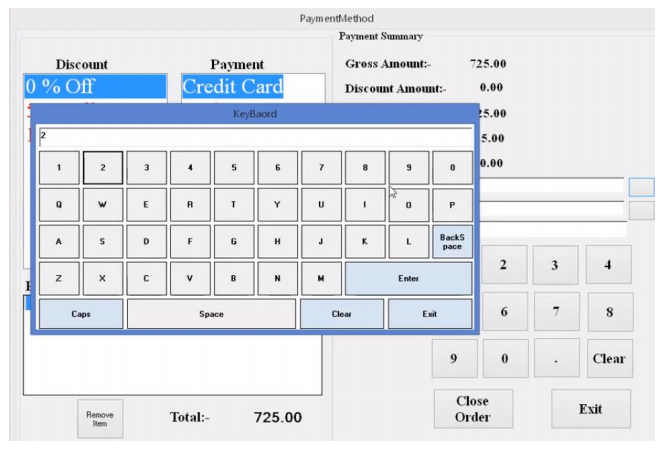
You can also add order type in this restaurant POS software. If your customer is willing to pay you via credit card or another payment method, you can select the payment method for your customer through this restaurant POS software.
Restaurant information Management System /point of sale
RIMS (Restaurant information Management System) is for Restaurants and all Food
Service Specialties. RIMS Hospitality Suite is an integrated solution that fits into any
Delivery, Dine-In, Fine Dine-In, QSR, Casual Dine-In & Retail segments of the business.
RIMS is complete integrated solution with multi company ,multi brand features. RIMS’s
approach to food service inventory and cost control is flexible, comprehensive and
universal. Though primarily designed for restaurants business, RIMS is also used in the
full variety of food service specialties.
Features of Restaurant point of sale System:
- Support multi Company.
- Multi Brand.
- Multi language.
- Multi Currency.
- Modules Included Inventory Management.
- Purchase and Production.
- Integrated Point of Sale.
- Call Center.
- Dine-in.
- Take Out.
- Pickup.
- Drive Thru & Staff Meal.
- Transactions.
- State of the art Touch Screen based Order entry.
- Interface with all kind POS and peripherals like cash drawers.
- Pole display units.
- Kitchen Display System.
- Kitchen Printing Module.
- Support bar-coding.
Functions of Restaurant Point of Sale System:
Every point of sale system has it’s own features and functions So, our restaurant point of sale system/POS has also a lot of features you’ll never see anywhere.
Here i’m going to enlist the functions of restaurant point of sale.
ERP (Enterprise Resource Planing) Back Office:
Restaurant point of sale system has a complete backoffice to manage products, sales, purchase, inventory, vendors, POS,
Barcode, Kitchen, Warehouse, Currency and a lot of high level modules.
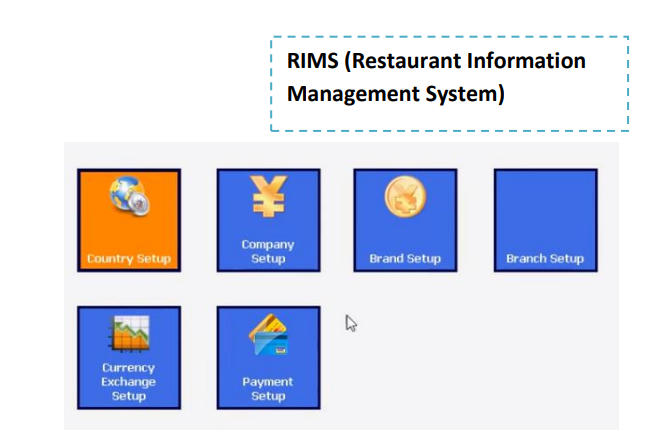
System Setup:
Restaurant POS contains system setup in which you create or manage country setup, company setup, brands setup, branch setup, currency exchange setup and payment setup.
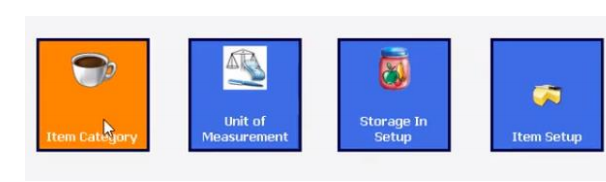
Inventory Management System:
Restaurant information management system contains multiple categories, multiple measurement unites and storage Item setup.
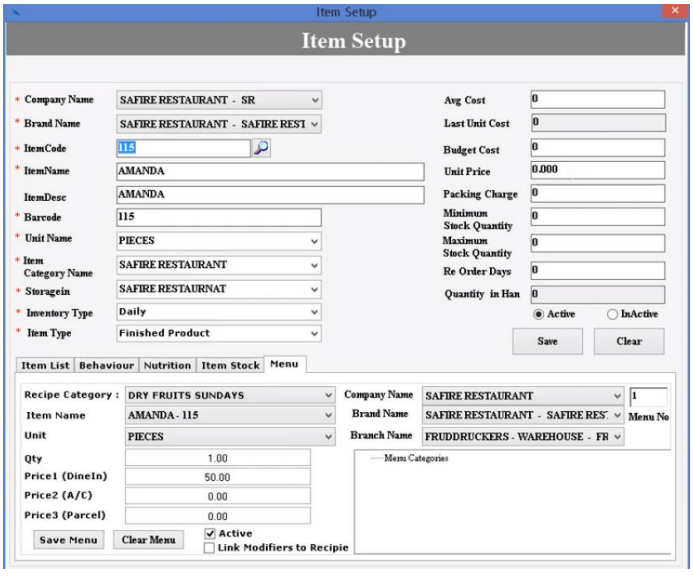
Product Setup:
In restaurant point of sale system you can setup any product Company wise brand wise, barcode, feature multiple units daily, monthly Inventor, cost, purchase, stock, nutrition setup and menu setup.
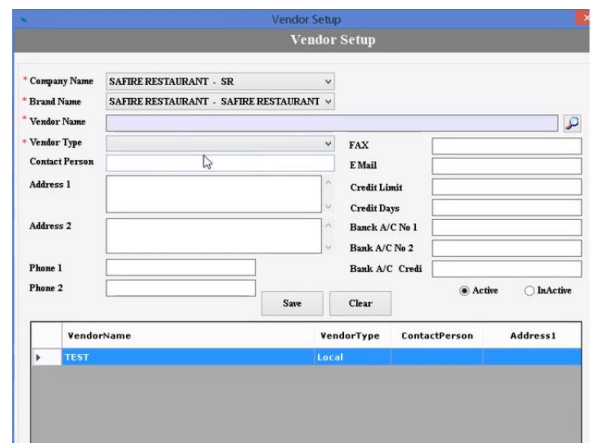
Vendor Management:
Restaurant point of sale contains vendor management which is a big sytem, it contains vendor setting (company wise/ brand wise/ vendor personal detail), purchase, vendor products and received products.
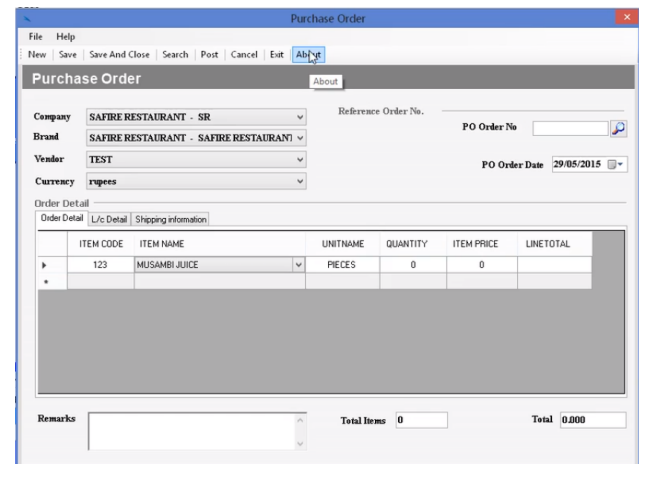
Purchase Management:
Restaurant POS has modules of new purchase order, costing detail, pending purchase orders and new cash purchase.
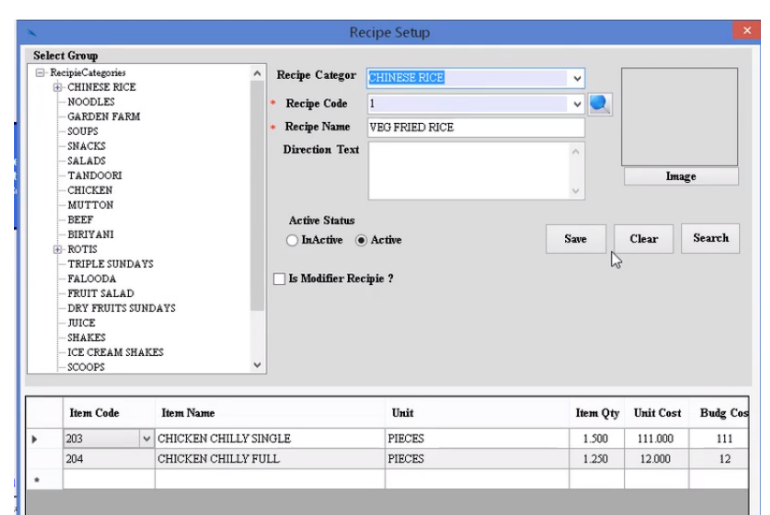
Sales Management:
In sales management module of restaurant point of sale software you’ll find receipt management
receipt category/ sub category/ description/ receipt group/ Image.
Restaurant Management:
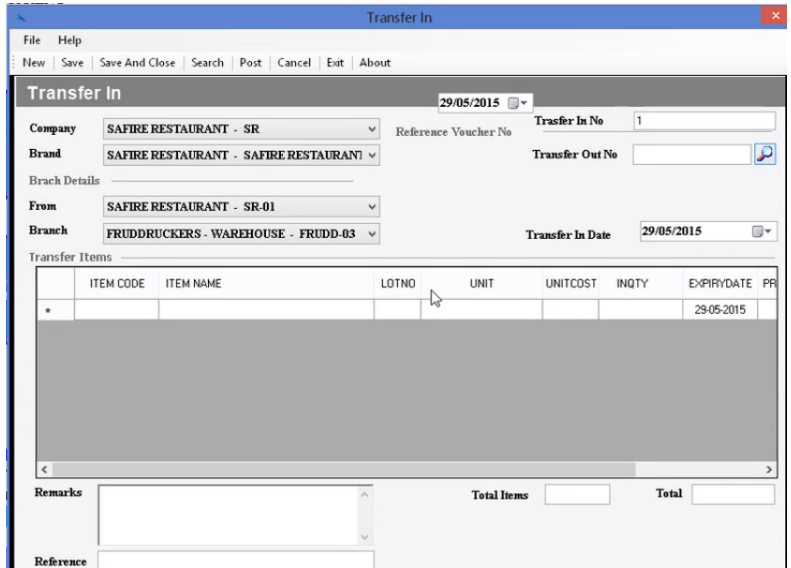
In restaurant point of sale software involves Check IN, Check Out, Direct Purchase, Order Request, Inventory, Received, Inventory Return,Wastage and Closing.
Warehouse Management:
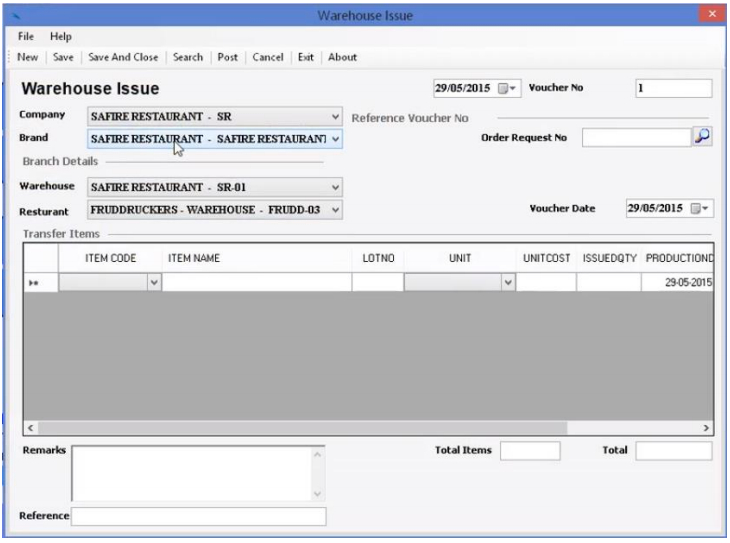
Restaurant point of sale software contains Goods Receivable, Inventory Issues, Inventory Receive, Wastage, Closing Stock, Adjustment of Stock, Production.
Reporting:
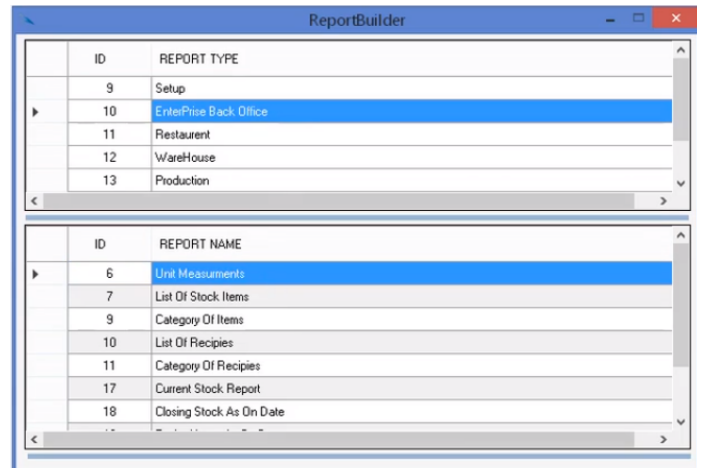
This system includes 100s of reports. All reports are fully customizable. Restaurant point of sale software involves System setup Reports, Inventory Reports, Warehouse Reports, Purchase Reports, Financial and Material Reports.
Point of Sale (POS):
Restaurant point of sale (POS) have a lot of features you’ll never find these anywhere else.
- Cashier Login.
- Product Categories.
- Multiple order types.
- Table Management.
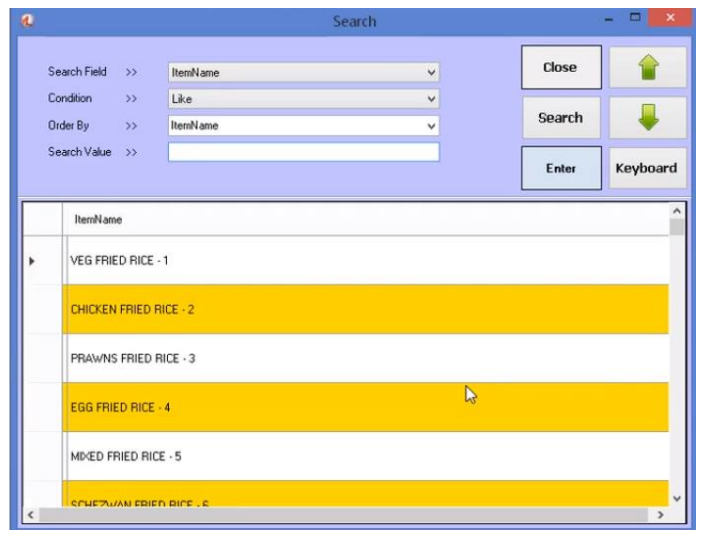
- List of products.
- Short Keys Setup.
- On screen Keyboard.
- Quick Sale.
- Split Order.
- Clear Screen.
- Customer Name.
- Change Name.
- Billing Date.
- Cashier Detail.
- Total Amount.
- Quick Search.
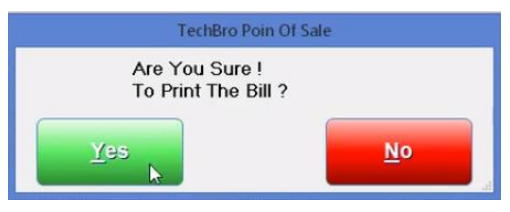
- Reprint Receipt.
- Clear Screen.
- Select Table number.
- Take In/ Takeout.
- Parcel Selection.
- Multiple Payment methods.
- Discount Manager.
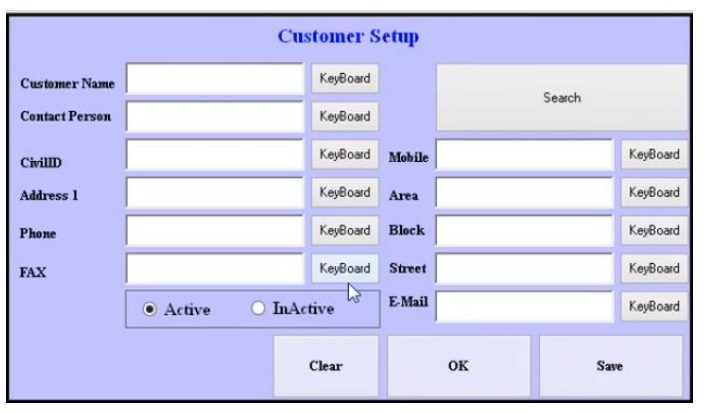
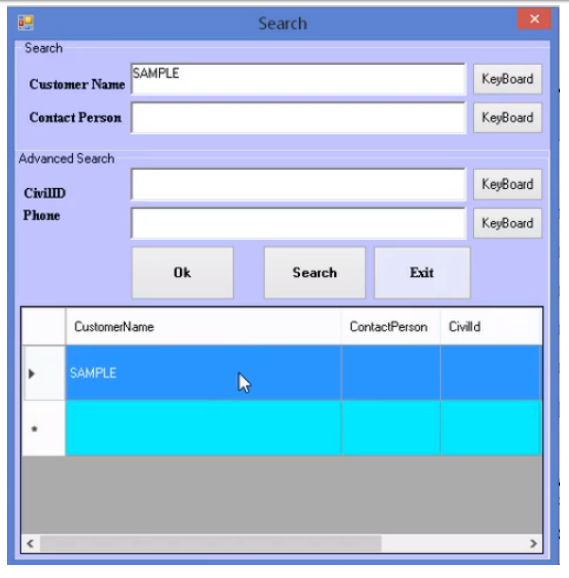
- Customer Setup Screen (Active/ inactive/ Quick Search).
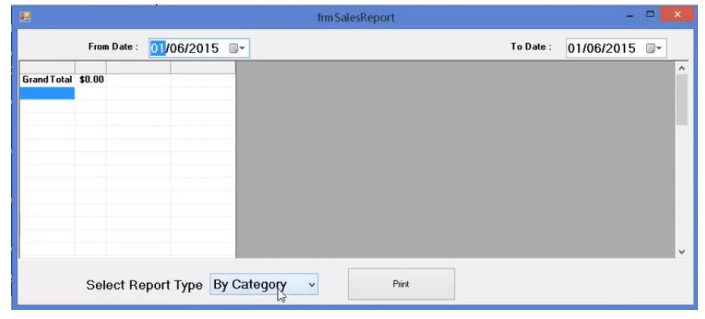
- Sale Report by date (By category/ invoice/ item/ waiter).
Demonstration Video of Restaurant POS Software:
Buy Restaurant POS Software
Read also: Buy Hosting and Domain / Buy Branded or Bulk SMS
- Published in Uncategorized
ERP Cloud Based Accounting Software
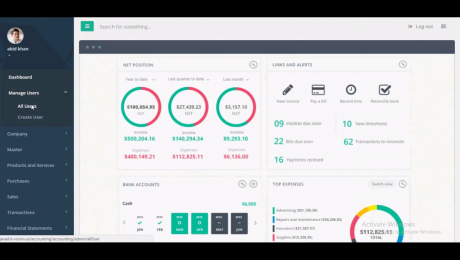
Enterprise resource planning is the most complex and advance accounting software which is really expensive to develop and difficult to handle, ERP accounting software. is the most demanded software in digital community, to establish the best accounting business you’ve to buy custom ERP accounting software.
Everyone wants best features and functions in their custom made software, Here i’m going to discuss these features briefly and their working.
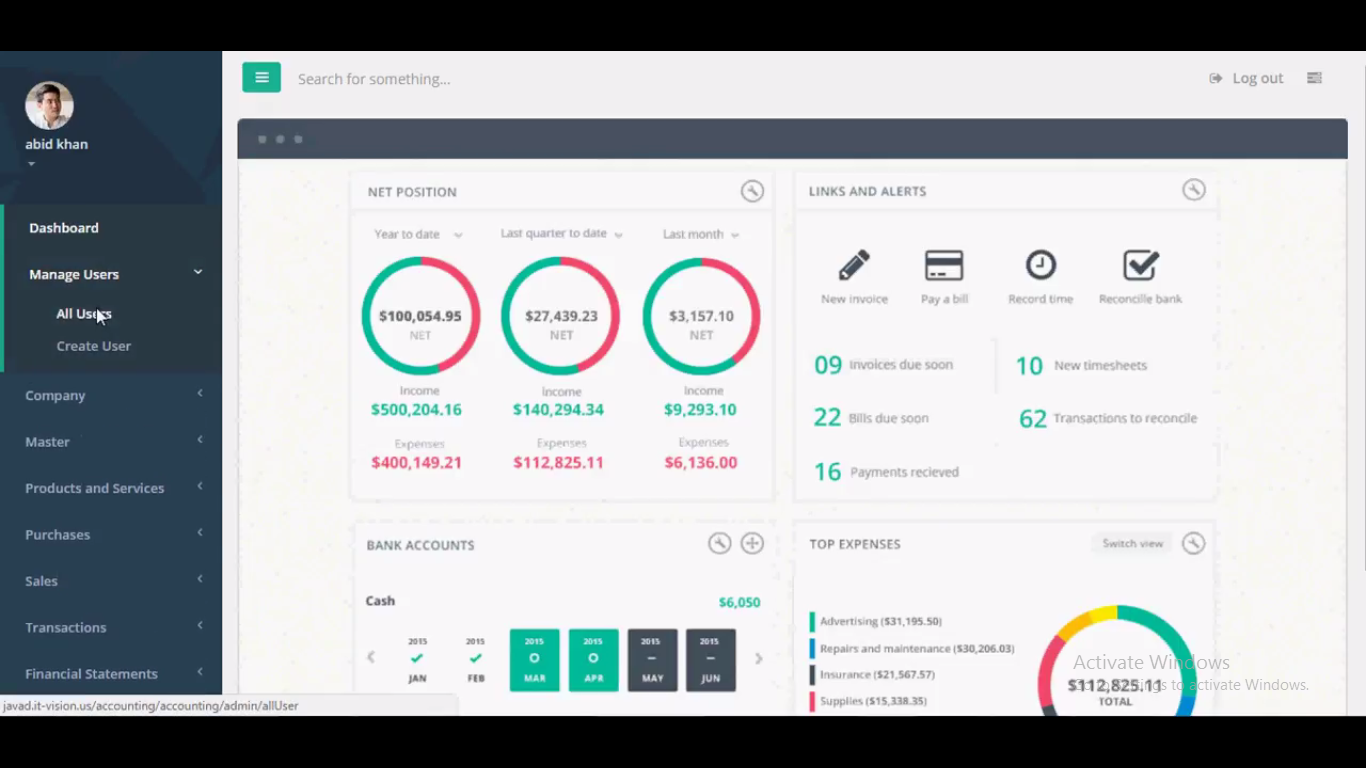
Modules of ERP Cloud Based Accounting Software:
Here is a brief list of modules of ERP accounting software..
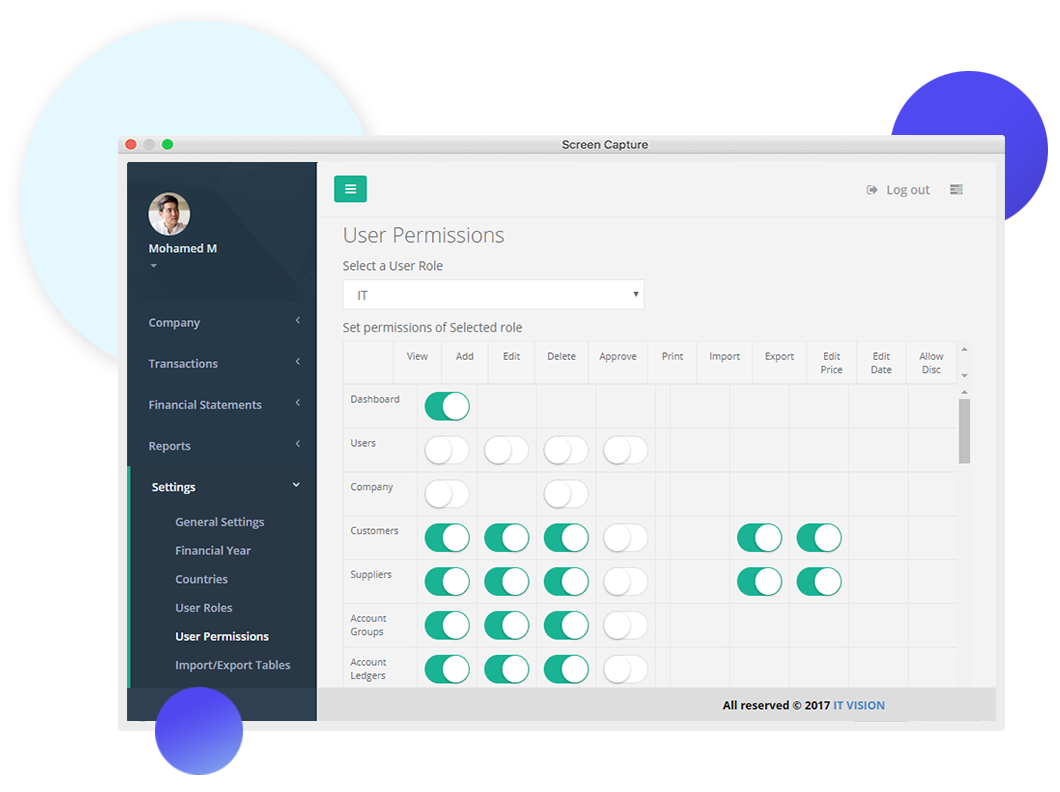
Manage Users:
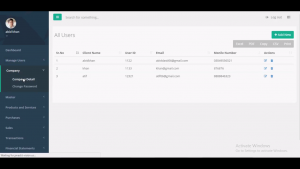
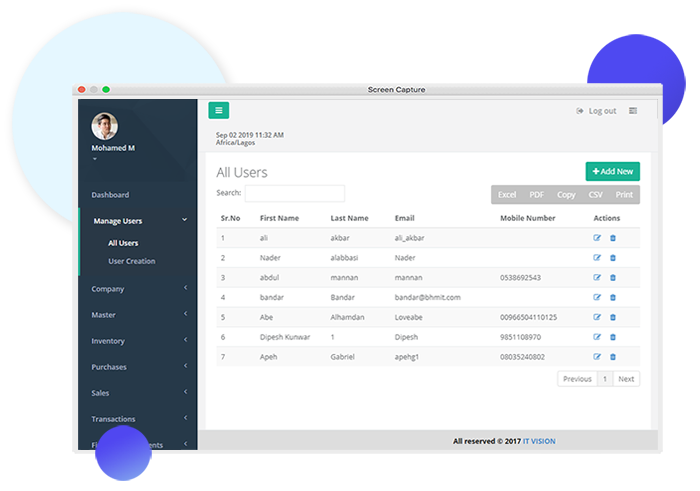
In manage users you can create infinite users or clients and you can manage existing users and their details like email address and phone, moreover you can print out this file as well as you can save this file in excel and PDF.
Company:
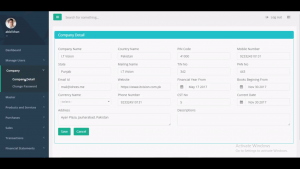
In company module you can save company details, like name, email address, phone no, physical address (street address), country name, currency name, pin code, website and much more.
You can also secure this software with an other sub module in company menu, you can set or change password on any time.
Master:
In master there are many features you’ll find like
Customers:
In customers you can manage all the customers, you can add, remove or find them, you can also find them easily because for easy search we have developed customer code, phone no and their details.
All the details of customer will be available in this module. Print out option is also available in this module.
Suppliers:
In suppliers module you can manage all your suppliers with a single click, you can find, add or remove them. Suppliers are really very important part in business and their details should be saved so this module can help to save their details.
Account Groups:
In account groups you can manage investments, income, profit and expenses easily in the form of account groups, you can print out their report any time to save them physically as well as virtually.
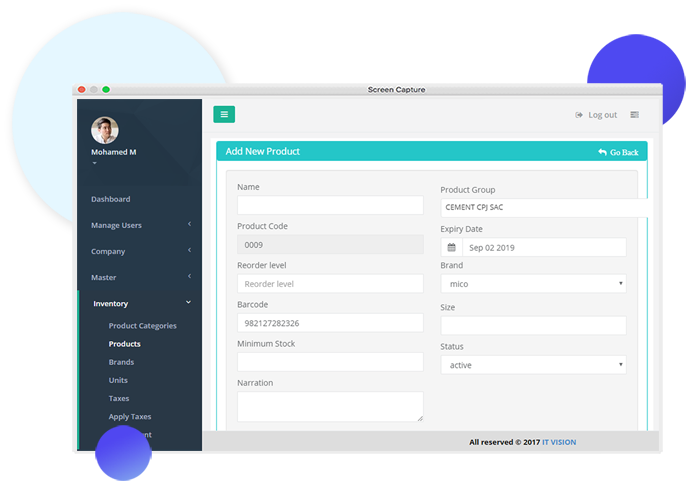
Product and Services:
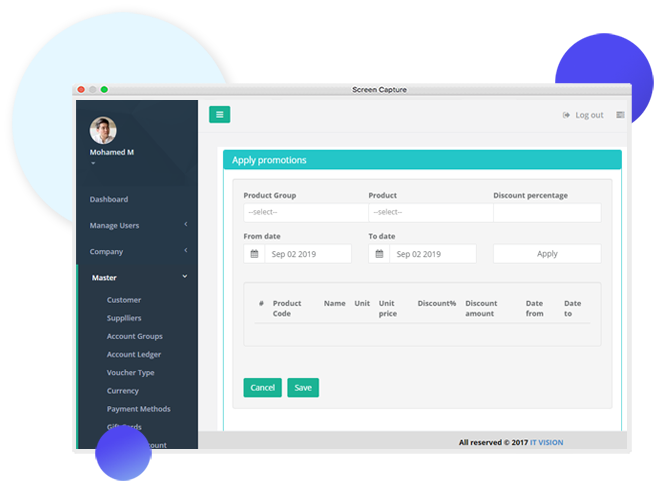
In product and services modules of ERP software you can add infinite product and services with price and description.
In this module there is an other category of various types of taxes, brands and units, that depends upon your business what you want to add or remove.
Purchases:
In purchases you can manage all the existing purchases you can find or remove them, you can check discount given to the customers, orders and their returns. It helps you a lot in accounting, it helps to inhibit you from loss.
Sales:
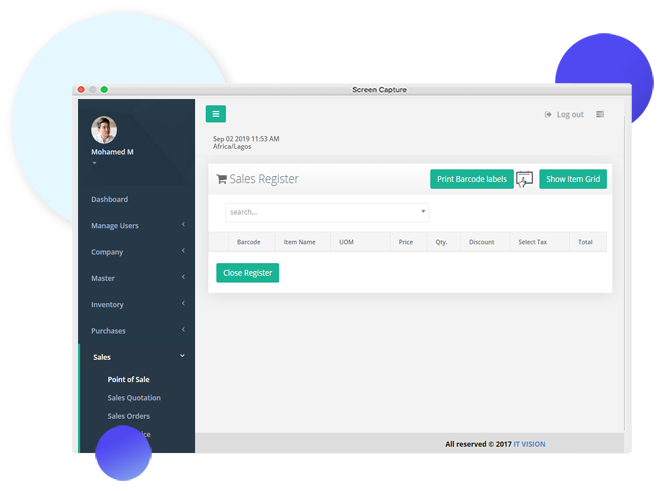
In this module of Accounting software you can manage all the sales in your business.
Transactions:
In this module you can manage all the transactions related to your business.
Financial Statements:
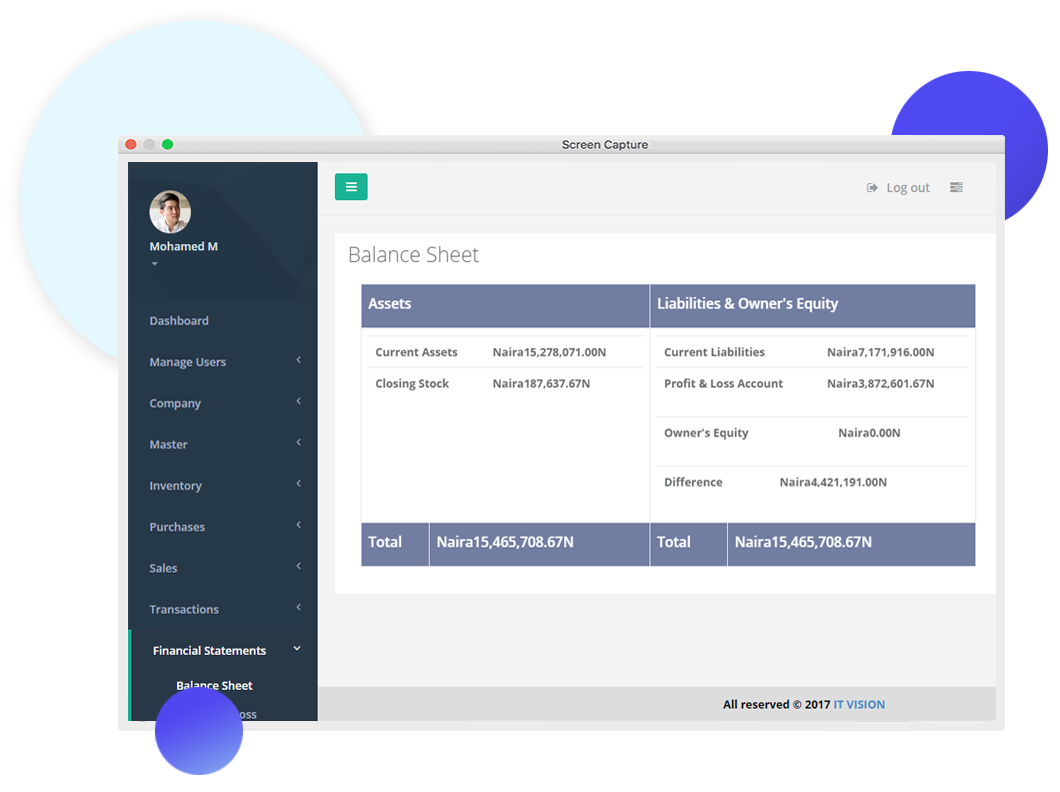
In this module you can find the profit and loss, balance sheet and chart of account, this module is complex and best to manage all of your balance in a proper manner, it is very tough to get loss in business but with this ERP you and your business can be prevented from loss.
Reports:
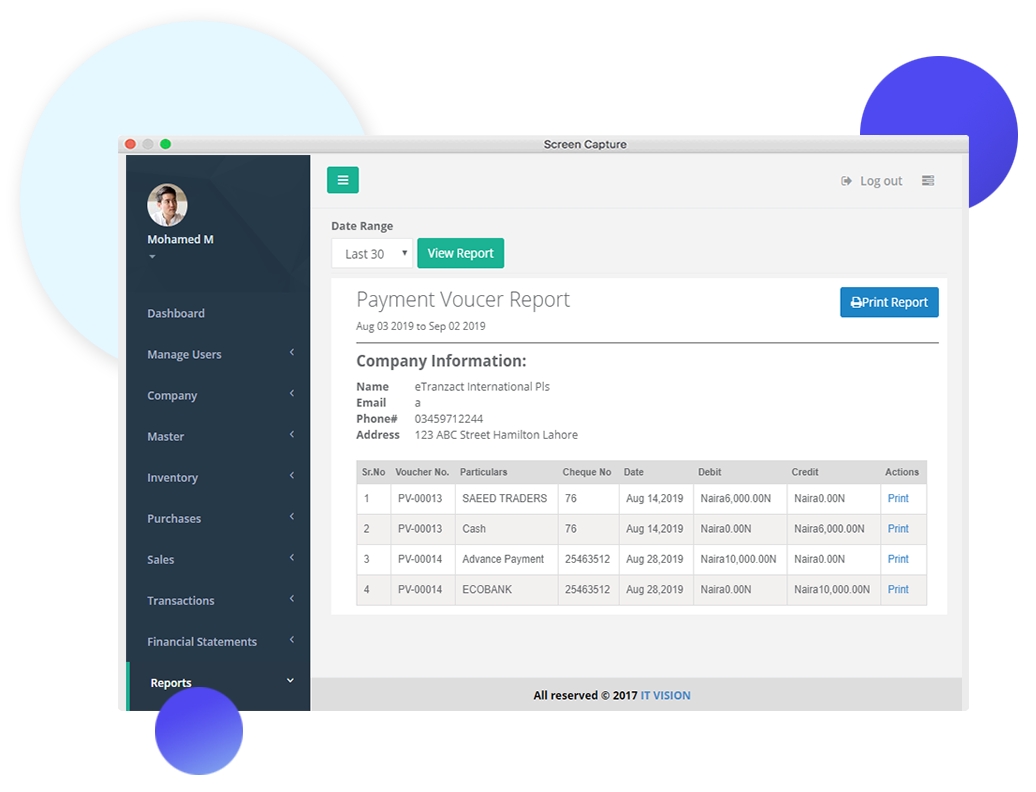
In reports you can manage, add or remove any report related to your business, reports are very important because it can tell you the ranking of your business day by day, daily routine report is very important for any business so in this ERP reports is the advanced module to help you in entire life.
Preview of ERP Cloud Based Accounting Software:
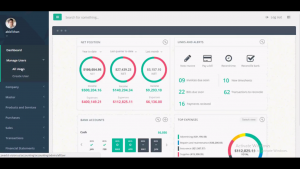
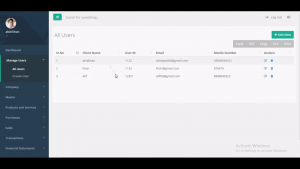
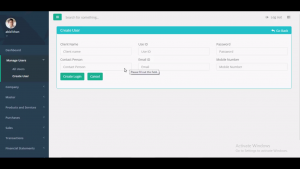
Demonstration Video of ERP Cloud Based Accounting Software:
Buy ERP Accounting Software
Read also: Buy Hosting and Domain / Buy Branded or Bulk SMS
- Published in Uncategorized
Cargo Management System
Cargo management system is the system through which you manage the shipping process with best desktop software. Cargo management system is the most complex and advanced management system as compared to others like School management system, laboratory or hospital management system. Only because it has a lot of paper work which you have to manage a lot carefully. In abroad to maintain the quality of cargo system they have graceful and well established digital software. Some people can’t afford that so in order to get that software we have developed best desktop cargo management system software in a very affordable price.
Features of Cargo Management System:
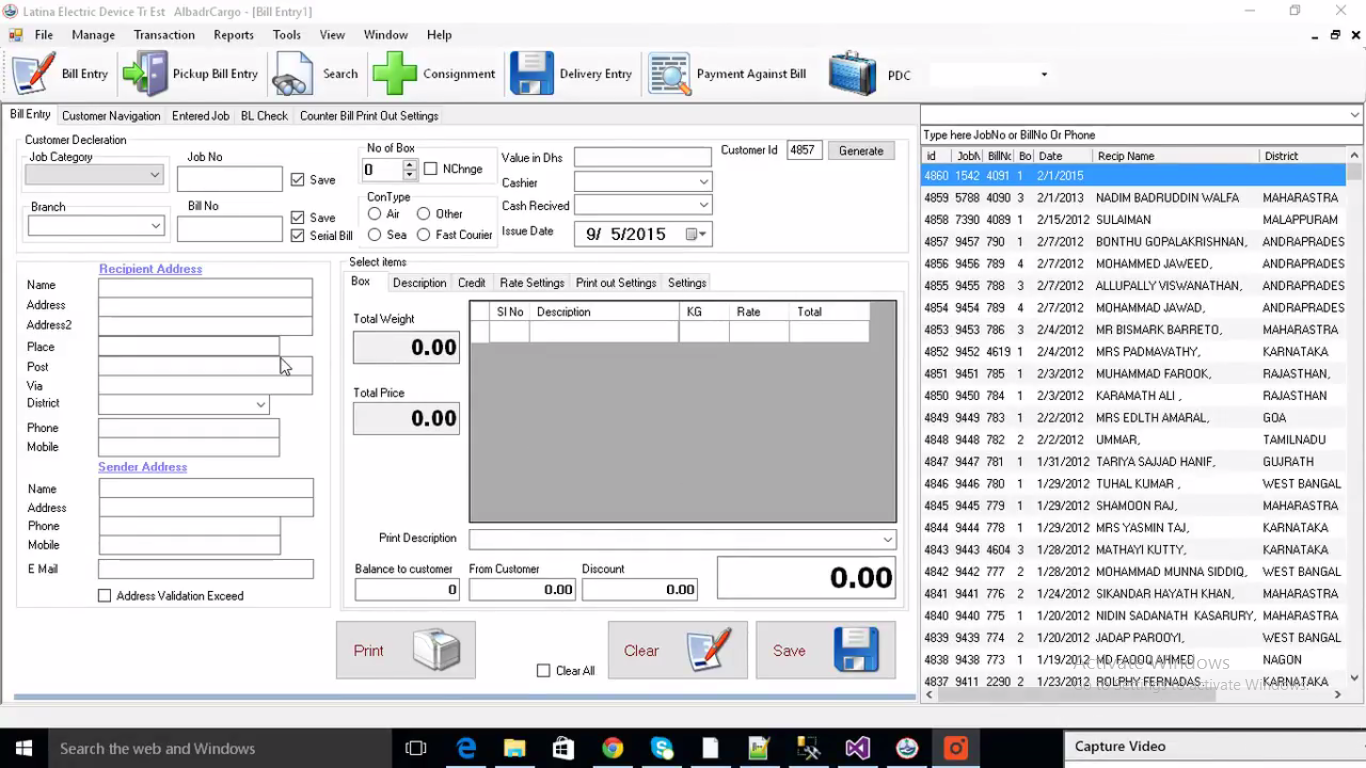
Bill Entry:
Bill entry is the module of cargo system, In which you can enter the job id, bill no, date, name, date physical and digital addresses like email address and phone etc.
Transactions:
Transactions is the mega module in which you can find
- Loans
- Delivery
- Consignments
- Payments receipt
- Complaints invoice
- Daily routine
- Customers phone number
- Sent consignments
- Courier duplicate.
In real you’ll find it very tough to manage with papers. but now you don’t have to worry because this software will help you a lot to handle your cargo system.
Reports:
In reports module you can search any individual report as well as ultimate report. Complaints note, branch wise and customer vise is present in reports module.
Demonstration Video: Cargo Management System
Buy Cargo Management System Software
Read also: Buy Branded SMS / Buy Hosting and Domain
- Published in Uncategorized
Hospital Management System
Hospital management system is the software, from which you can manage your hospital system.
Are you confused? yeah i know that you’re thinking that it is very difficult to handle a hospital with just a software but you’re in doubt, this software is a full pack of modules which have different features and function from which you can run hospital management system easily.
Modules of Hospital Management System:
Here are some modules and features of hospital management system.
Pharmacy:
Pharmacy is the module of hospital management system where you can add medicines, it is actually the database of your medicines you’ve in your store. you can manage the purchase order, purchase invoice, purchase return, sale invoice, sale return, payments from accounts and much more.
Indoor:
Indoor is the module in which you can create your database about the patient admission, patient details, panel approval, patient billing, patient discharge bill and much more.
OPD (Out Patient Department):
Out patient department in which patients are provided the medical consultations and other allied services. OPD contains OPD receipt, cancel receipt, refund receipt, patient vitals, patient prescription, consultant timings, consultant appointments, OPD payment to consultant, OPD shift closing.
Laboratory:
In laboratory modules of hospital management system, it contains lab receipt, lab refund, lab intimation, pending lab test. It involves all the functions of laboratory.
Radiology:
In radiology it contains all the things related to radiology like radiology receipt, X-Rays reporting, Ultra sound reporting, CT Scan reporting. The best module of the hospital management system is radiology and you’ll never find such module in any paid software.
Reports:
We have actually added reports and receipt in every module but it is very important to save the database of reports from which we can get any report on any time whether it is OPD, pharmacy, laboratory or any other report. According to law we have to save all the database of our patients that’s why this module is awesome.
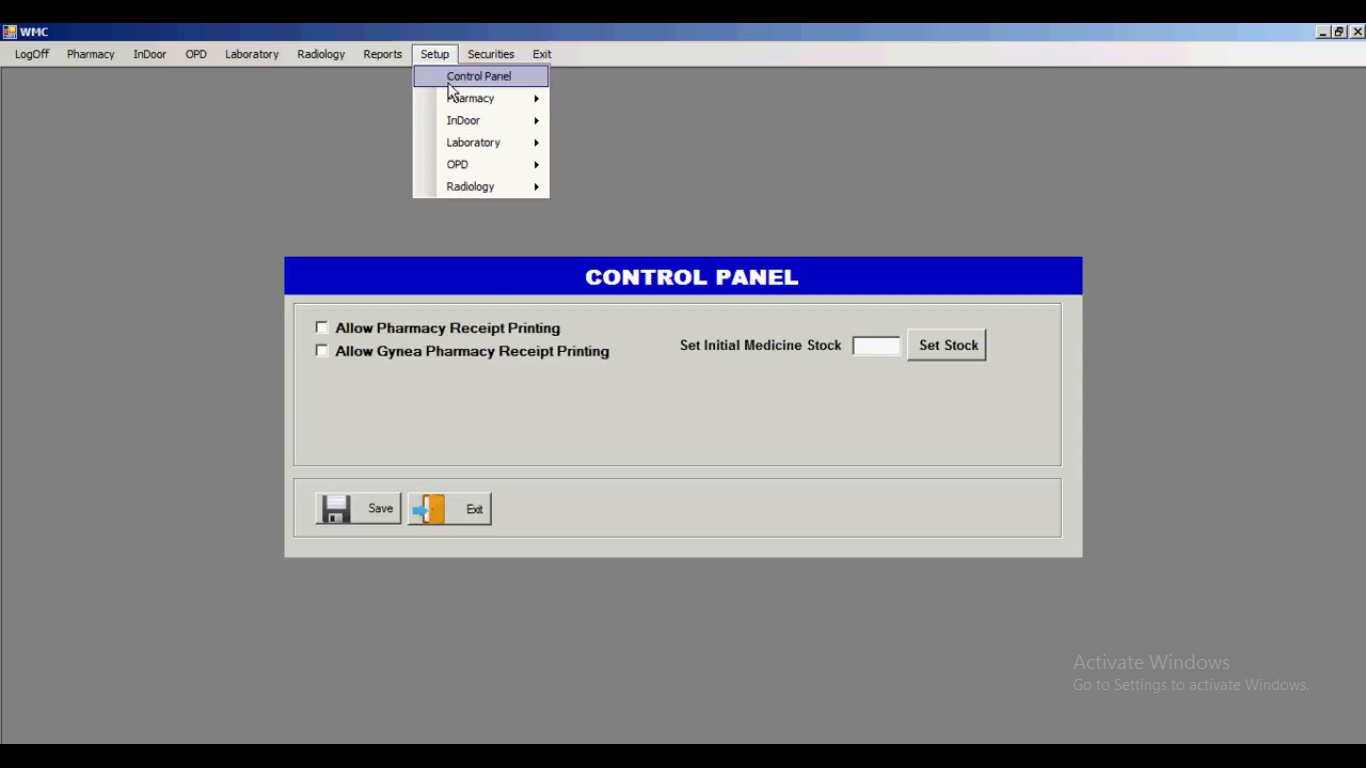
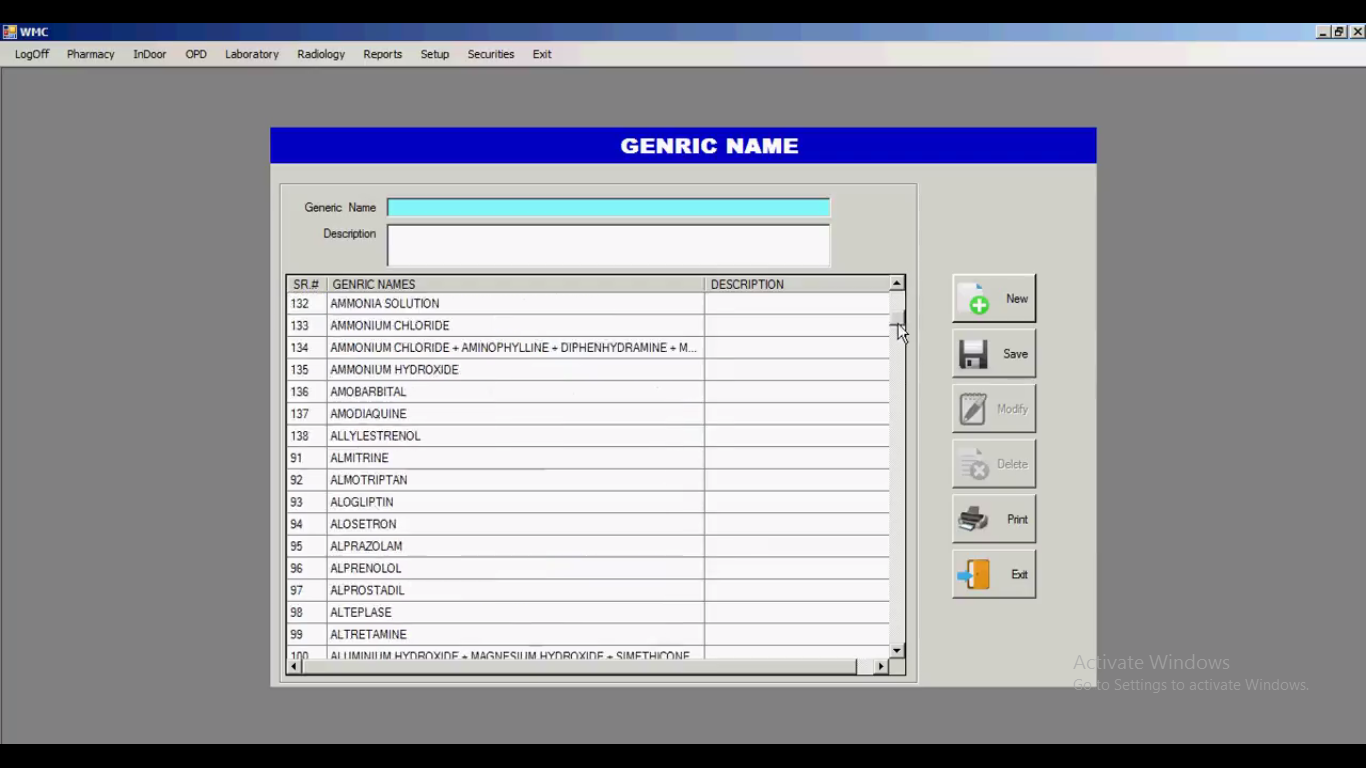
Setups:
Setups is the most advanced module of our hospital management system because it is very complex and best, it has great functions and you’ll find it astonishing too. it consists control panel from which you can print the receipt,
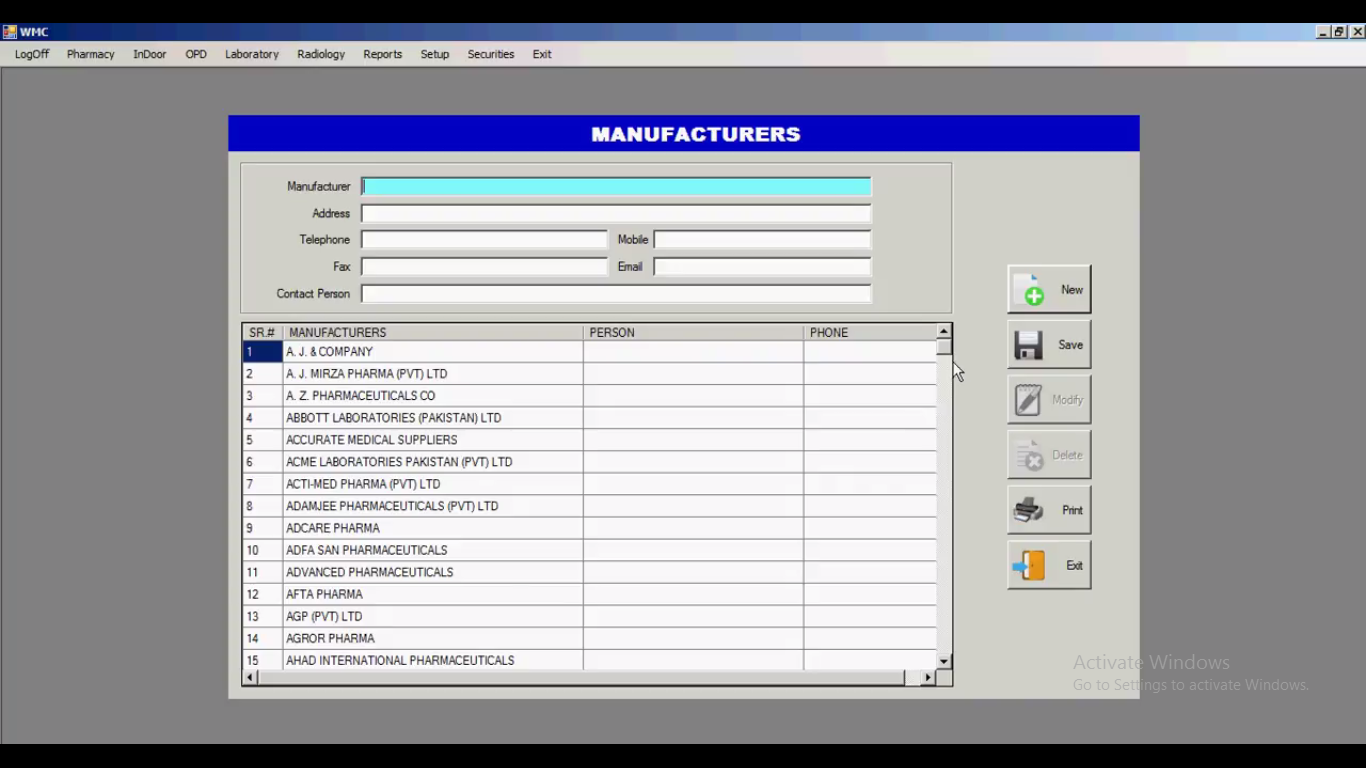
you can also find, add or remove the medicine suppliers here, you can also find the companies and their physical and digital address details which are actually the manufacturers of that medicines you’ve added in your hospital management system.
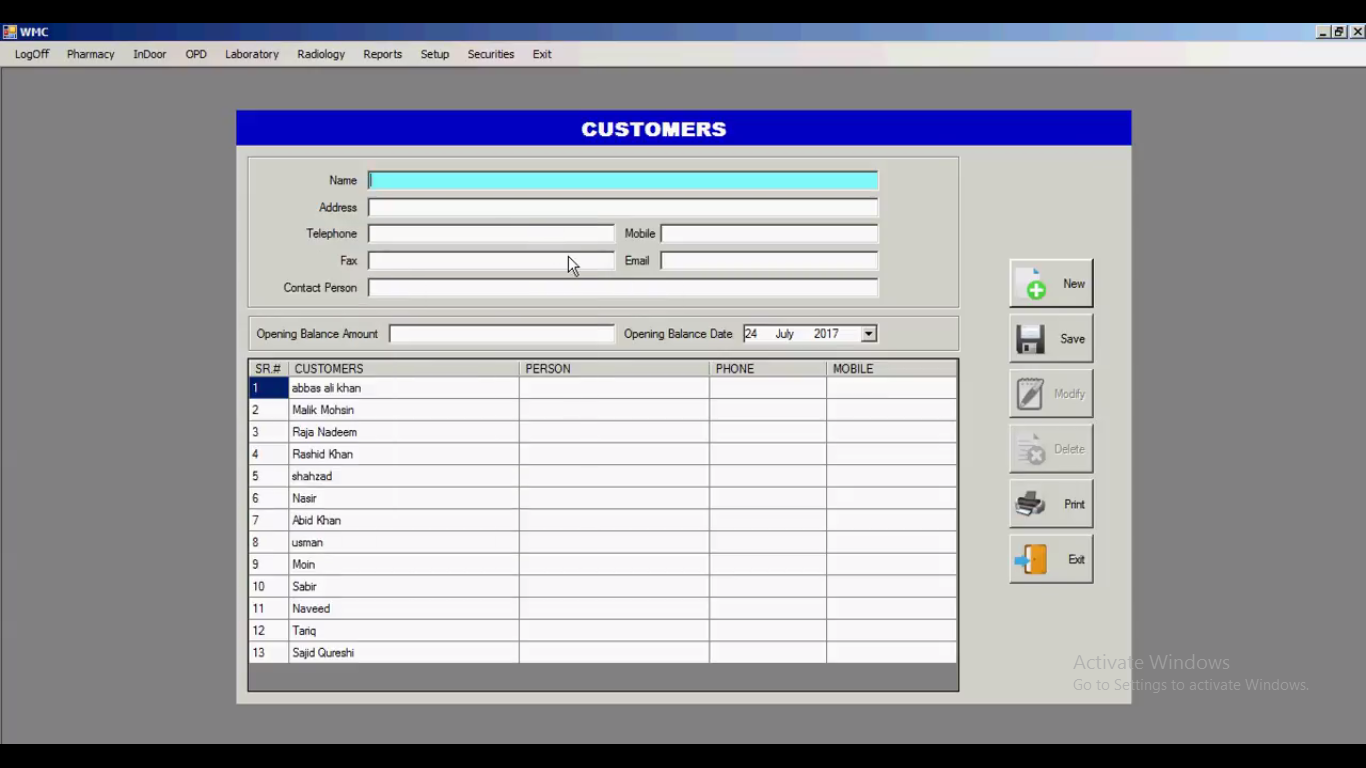
In Setups module you can find, add or remove the customers and their details which you’ve added in your hospital management system

The most advanced feature in our hospital management software is shelves locations from which you can find any medicine easily without wandering here and there because you can easily find their locations.
Demonstration Video: Hospital Management System
Buy Hospital Management System
Read also: Buy Web Hosting and Domain / Get Branded or Bulk SMS
- Published in Uncategorized
Gym Management System
Gym management system is the system software from which a gym manager or supervisor can manage gym system online, it’s a web based management system software. It contains a lot of modules which are enough to handle a Gym club. Here are some modules of Gym management system.
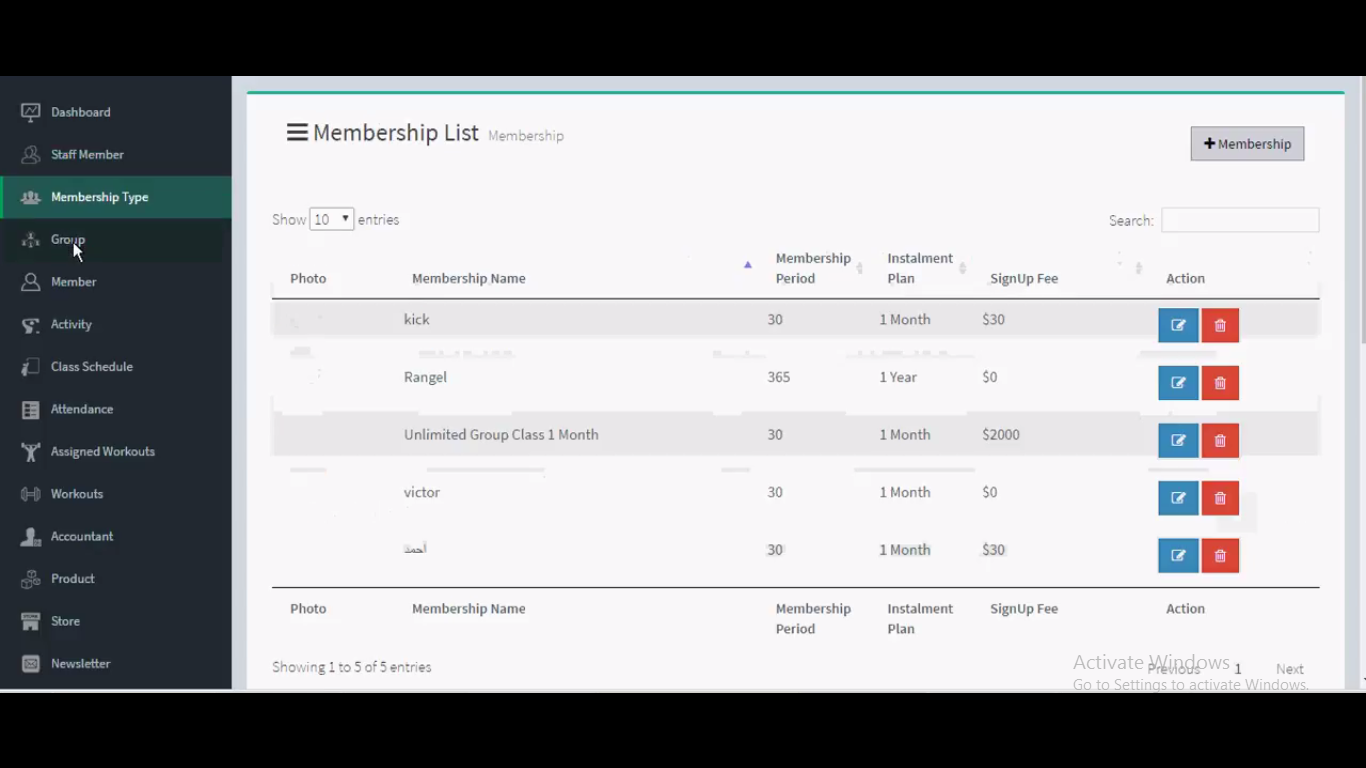
Modules of Gym Management System:
- Staff Members: Staff members is the module in gym management system where you can add staff members according to their position in your gym club, For example if you’ve 5 trainers and 2 are moderators, so you can sort out their details and names according to their positions.
- Membership Type: As you know already every member is not learner of same type, every member has it’s own type some are VIP from army or cops, some of them are students, some of them are casual learner.
- Groups: Groups is the module where you can add groups for enlisting different members in them so they can share all the dynamic links and information in the groups.
- Members: Members is the module in gym management system where you can add infinite gym members as you want or like. This module is actually the database of gym members you have/had in your gym. According to security issues in future you’ve to save database of gym members.
- Activity: Activity is the module which contains all the activities done by the system operator or manager which manages the gym management system, all the history about the gym management system is available in this module.
- Class Schedule: Class schedule is the module in which all the class timing can be managed easily, this software also helps you to manage class schedule online. The gym management system software you can manage class timings in this module.
- Attendance: Attendance is the module in which you can add all the attendance database through this feature. the reason is paper work is difficult to handle, but this software helps you to add the attendance of members time to time to maintain the quality of your gym club.
- Assigned Workouts: Gym management system software is actually so advanced only because of this module because you can add the assigned workouts, for example some members are in your gym club for army training so they’ve specific workouts so you can manage assigned workouts of different members.
- Workouts: Here you can add workouts through this module, infinite workouts can be managed here according to sequence from newbie to expert or VIP membership.
- Accountant: This module contains accountant list where you can add all the accountants, their names, with email address and phone no. it can help you to save you revenue from fraud and scam.
- Product: In this gym management system software there are two different modules for selling products one is the product and second is store, in product you can only add product like steroids and fat reducing products.
- Store: In store module you can sell products from here users, customers, clients or members can sell the products online, this is the store of you gym club.
- Newsletter: Newsletters is the module in which you can add newsletters, the announcements and warnings can be shared with the gym members from this feature.
Demonstration Video: Gym Management System
Download Gym Management System
- Published in Uncategorized
School and College Management System
CampusFlo ERP is comprehensive web-based software for school and college management system. This school management system very gracefully and remarkably handles all the requirements for easy management of schools introduced by IT VISION.
School and college management system software enables Schools and their branches to record access report and manage their student and employees data and performance records in real-time. Parents, Students, Teachers and Administrators use the system to share information about grades, attendance records and home work assignments etc.
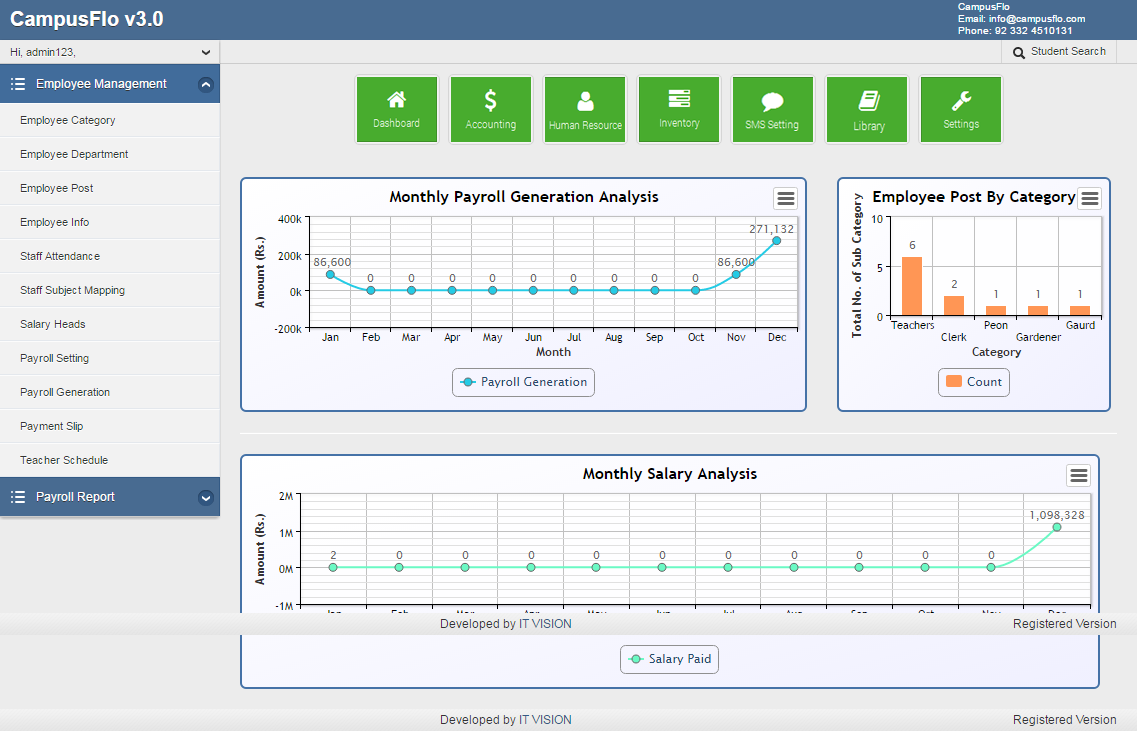
School and College Management System Having all Advance Level Modules.
Academics & Student Enrollment:
Campusflo Online offers you with the most easy and user friendly experience. With its sleek and simplistic design, you can easily manage the constantly changing enrollments and academics of schools and colleges in the best way possible.
Fee Management:
Campusflo is a school management system which includes hassle free fee management software that helps you you to go paperless by reducing 90% of your manual work which saves your administrative staff with a lot of valuable time.
Human Resource & Payroll:
Campusflo has complete Human Resource Management System with intuitive separate dashboard to analyze statics. A highly professional Payroll module make it more best suited for every kind of institute.
Accounts/ Chart of Accounts:
Our powerful accounting software for schools allows you to control and manage all of your college and school accounts effectively and efficiently. Chart of Accounts System gives you the best insight of your organization financial status.
Inventory, Stock & Register Management:
A professional Inventory, Stock, Ledger, File System and Registers Management System makes it unique and powerful application in the industry.
Library Management System:
It has a complete and mature Library Management System with Customized fields, Books Management, Books Issuance and Receiving, Library Membership, Registers system.
Examination Management System:
Examination system is the backbone of every school which requires you to make sure that you are able to accurately and fairly evaluate each student. Our school management software provides you with an easy way to simplify the exam process.
Bulk SMS Communication:
Our SMS communicator allows you to send SMS alerts to parents, teachers and students . This module empowers you and reduces the distance between parents and their child’s school which is a great way to increase enrollments.
Student / Teacher Remote Access:
Application provide a professional UI for Parents / Students / Teachers to lremotely access to the system from anywhere and check updates about their relevant material.
Attendance Management System:
Campusflo system provides an extensive set of Attendance module for students and teachers as well as they both can access to their attendance detail remotely.
Hostel Management:
System also provides Hostel Management, Room Management, Room Allocation and Hotel Fee Facility which makes the system more advance powerful.
Transport Management:
Campusflo ERP provides complete transport management and information facility i.e Bus Stop, Bus Routine and Bus allocation service.
School and College Management System Having all Advance Level Modules
School ERP is a school and college management system software and browser-based making it easy to use maintains and setup. It has following modules in the school system with following roles:
- Courses & Batches
- Human Resources Management
- Student Attendance
- Multiple Dashboards
- Timetable Management
- Examination
- Student Admission
- School/Event Calendar
- Fees Management
- Employee/Teacher Login
- Student/Parent login
- Internal Messaging system
- SMS Alerts
- Email Integration
- Hostel/Dormitory Management
- Online Examination
- Library Module
- Transport Module
Demonstration Video: School and College Management System
Download School and College Management System
Read also: Buy Web Hosting Service / Bulk SMS Services
- Published in Uncategorized
School Management System
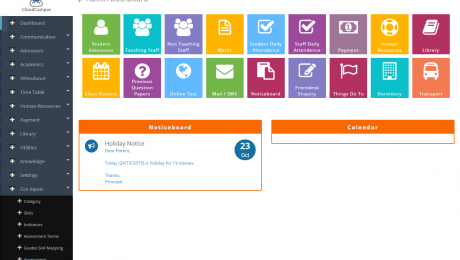
School Management System ERP is comprehensive web-based software for your school, It works very gracefully and remarkably handles all the requirements for easy management of schools introduced by IT VISION.
It enables Schools and their branches to record access report and handle their student management system and employees data and performance records in real-time. Parents, Students, Teachers and Administrators use the system to share information about grades, attendance records and home work assignments etc.
SCHOOL MANAGEMENT SYSTEM INCLUDES ALL SPECIAL MODULES
- Courses & Batches: It includes all the courses and batches for school management system from which you handle all the data of courses and batches.
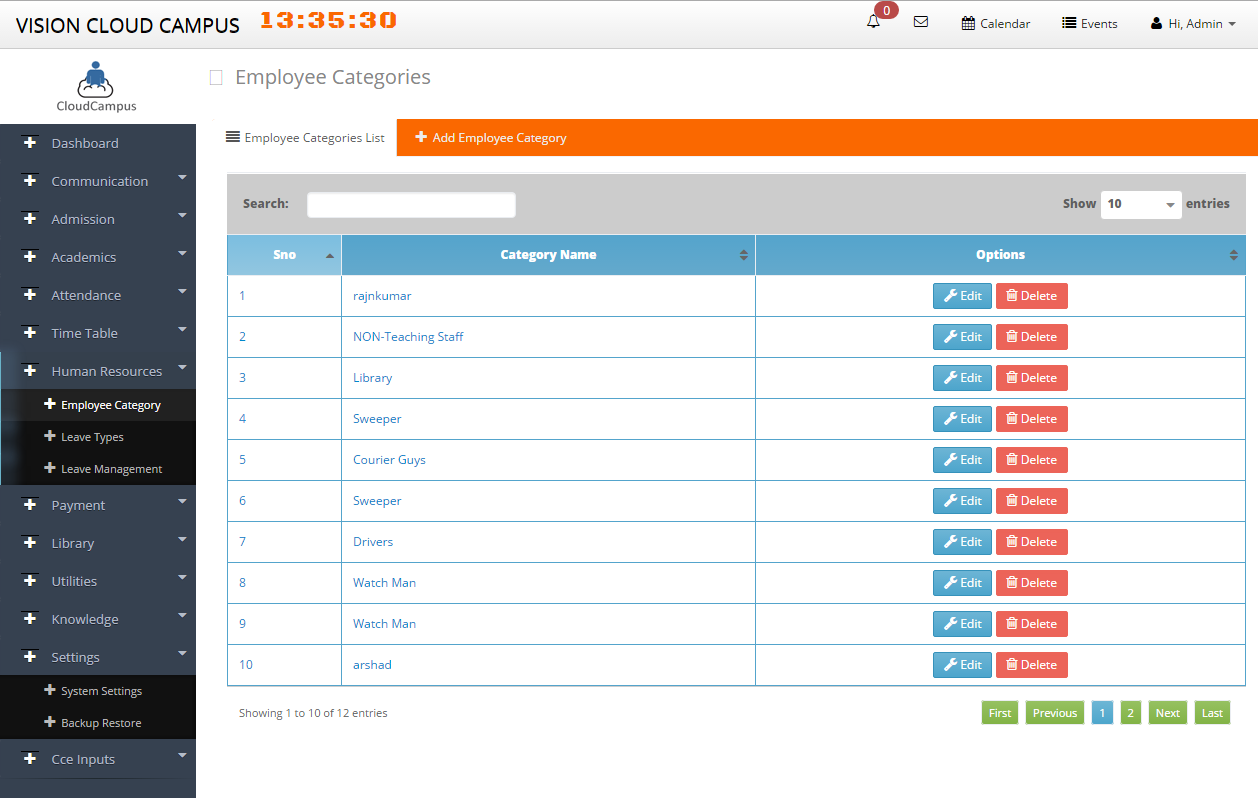
- Human Resources Management: Human resource management system is the system which handles all the working of human resource
Read also: Human Resource Management System and Payroll
- Student Attendance: Student attendance is the module in this management software from which you can save all the data of student attendance, this software is also for student management system.
- Multiple Dashboards: Multiple dashboard is the most powerful feature of this software in which multiple persons can handle this software every person has it’s own role like the account has his own, students and parents have their own they all can get their dashboard to check progress.
- Timetable Management: Timetable management is the basic module but every useful for school management system so in which you can manage the time for lectures and other things. Like for opening and closing of school.
- Examination: Mostly teachers and account officers frustrated because it is very difficult to handle the examination system, so here you can handle all the examination work from this management system. from creating to time period everything is available in this software.
- Student Admission: Student admission is always a big headache for account because when new comer is admitted there are many things to save but from this software you can collect all the data and save for lifetime without any fear.
- School/Event Calendar: Every school has their own events and functions like concert, farewell party and annual function so there is very difficulty i always find to manage the date but from this school management system you can manage date for any event easily.
- Fees Management: The reason to run school is to get fees which is really important to manage the salaries of staff and other expenses of school so from this you can also fees, like which student hasn’t paid his fees, from this you can see everything about unpaid and paid invoices.
- Employee/Teacher Login: Any staff member can login his account to find the pending work or their salaries and everything related to their work.
- Student/Parent login: Student can see his progress or result from his dashboard because our school management software support multiple dashboard, parents can see their children’s progress.
- Internal Messaging system: The most useful and best module of this management software is bulk or branded sms, you can send bulk sms to send the information or result of your school or any announcement of you school to your staff, students and parents.
Read also: Bulk SMS Sender Unlimited
- Email Integration: Email integration is the module from which you can send email to anyone from your own email address, it also allow you send and get email in this module of your software.
- Hostel/Dormitory Management: Hostel and dormitory management is the module in which you can save all the data about hostel and dormitory, it is very difficult to handle the physical work, this software can handle all the data.
- Online Examination: MCQS is in air now because every school or college examination has MCQS to solve, in this module you can manage the online examination from which every student has to solve the examination online at home or anywhere.
- Library Module: library module is the feature in which you can manage the library system in this software
- Transport Module: Transport module is the feature in which you can manage and save the data about the students and staff using your transport.
Demonstration Video: School Application
- Published in Uncategorized